
In relational database modeling, the Many-to-Many (N:M) relationship is ubiquitous:
- A
Usercan belong to multipleTeams, and aTeamcontains multipleUsers. - A
Productcan have multipleTags, and aTagapplies to multipleProducts. - An
Articlehas multipleAuthors, and anAuthorwrites multipleArticles.
Because relational engines (MySQL and PostgreSQL) store rows as flat records, a table cannot store an array of foreign keys directly without violating First Normal Form (1NF) or destroying index performance.
To model Many-to-Many relationships properly, you must use a Junction Table (also known as a Pivot, Bridge, or Join table).
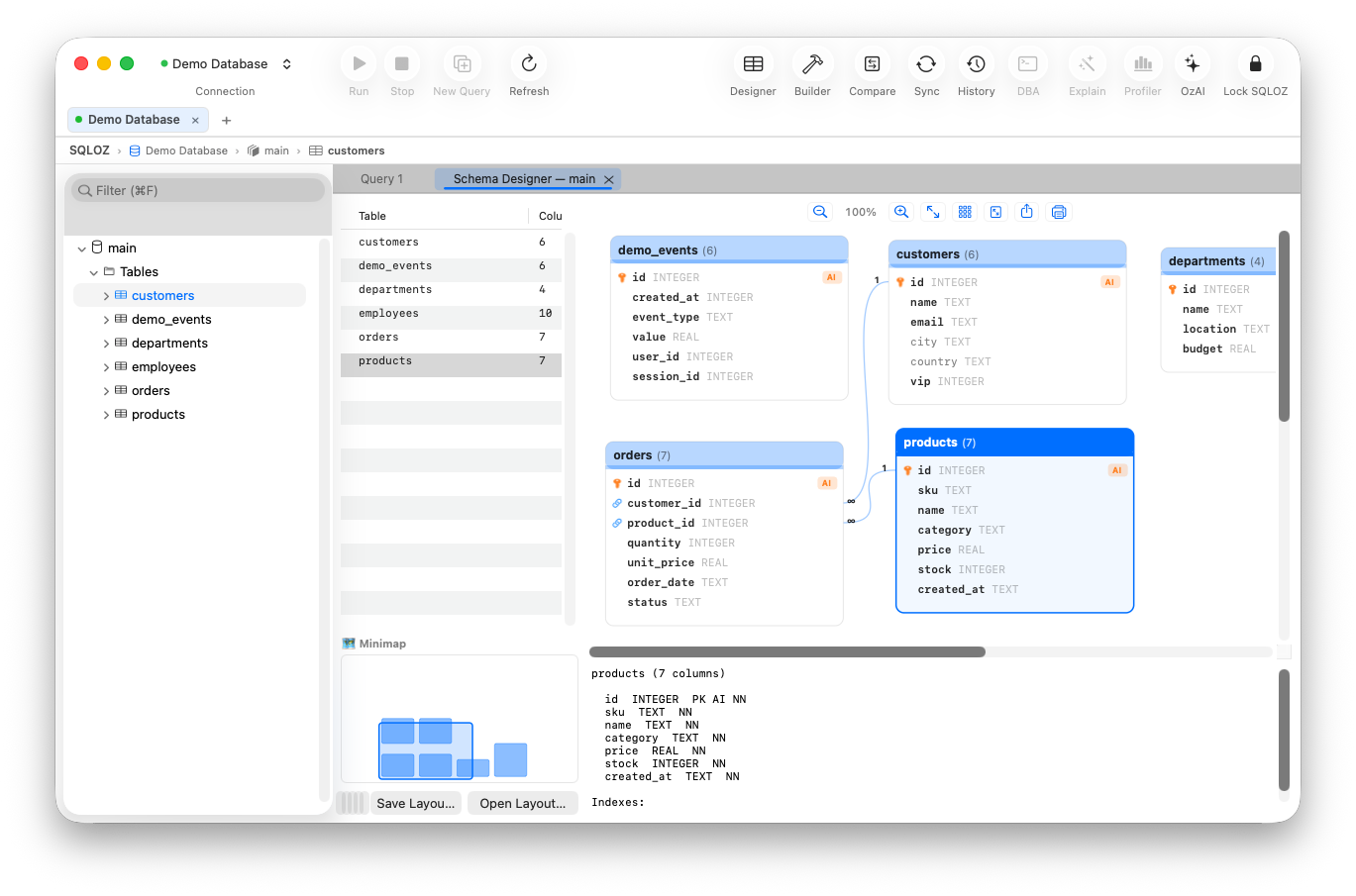
In this visual guide, we explain how to structure, index, and query Many-to-Many relationships visually using SQLOZ on macOS.
1. The Anatomy of a Junction Table
A junction table sits directly between two master entities and contains two foreign keys pointing back to the parent tables:
┌──────────────────┐               ┌──────────────────────────────┐               ┌──────────────────┐
│     products     │               │        product_tags          │               │       tags       │
├──────────────────┤               ├──────────────────────────────┤               ├──────────────────┤
│ id (PK)          │◄────(1:N)─────│ product_id (PK, FK)          │─────(N:1)────►│ id (PK)          │
│ name             │               │ tag_id (PK, FK)              │               │ name             │
│ price            │               │ assigned_at                  │               └──────────────────┘
└──────────────────┘               └──────────────────────────────┘
Essential Junction Table Rules:
- Composite Primary Key: The combination of
(product_id, tag_id)should be the table’sPRIMARY KEY. This guarantees that a product cannot be tagged with the same tag twice. - Reverse Composite Index: While the primary key creates an index on
(product_id, tag_id), you must create a secondary reverse index on(tag_id, product_id). Otherwise, queries finding all products for a specific tag will trigger a catastrophic full table scan! - Cascading Deletes: Configure
ON DELETE CASCADEso deleting a tag or product automatically cleans up orphaned pivot entries.
2. Modeling Many-to-Many Visually in SQLOZ
Instead of hand-crafting multiple DDL constraint statements, SQLOZ Schema Designer makes junction tables visual:
- In SQLOZ, open the Schema Designer canvas.
- Click + New Table and create
product_tags. - Drag a line from
product_tags.product_idtoproducts.id➔ selectON DELETE CASCADE. - Drag a second line from
product_tags.tag_idtotags.id➔ selectON DELETE CASCADE. - Set
(product_id, tag_id)as the composite primary key with a single click.
SQLOZ visually renders the two 1:N forks converging on the junction table card, making the many-to-many relationship topology crystal clear.
3. Querying Many-to-Many in the Visual Query Builder
Once modeled, querying a Many-to-Many relationship in raw SQL requires joining three separate tables:
SELECT p.name AS product_name, t.name AS tag_name
FROM products p
INNER JOIN product_tags pt ON p.id = pt.product_id
INNER JOIN tags t ON pt.tag_id = t.id
WHERE t.name = 'Electronics';
In SQLOZ’s Visual Query Builder:
- Drag
products,product_tags, andtagsonto the canvas. - Because foreign keys were established in Step 2, SQLOZ automatically draws the join lines!
- Check
products.nameandtags.name. - Add a filter pill:
tags.name = 'Electronics'. - Click Run (⌘R) to see your filtered records immediately.
Summary
Many-to-Many relationships are the backbone of real-world application data. Understanding how to structure composite keys and reverse indexes on junction tables prevents major production bottlenecks.
With SQLOZ, Mac developers can design, visualize, and query Many-to-Many architectures with complete clarity and Apple Silicon speed.
Download SQLOZ for macOS and master relational database modeling today.