
A SQL subquery (also known as an inner query or nested query) is a SELECT statement embedded inside another SQL query. Subqueries are essential when an operation requires two sequential steps:
- Finding a calculated benchmark value (such as the average order size across all stores),
- And then using that result to filter another table (such as identifying all customers who spent more than that average).
In raw SQL, keeping track of nested parentheses, table aliases, and correlation variables (EXISTS vs IN) is notoriously confusing.
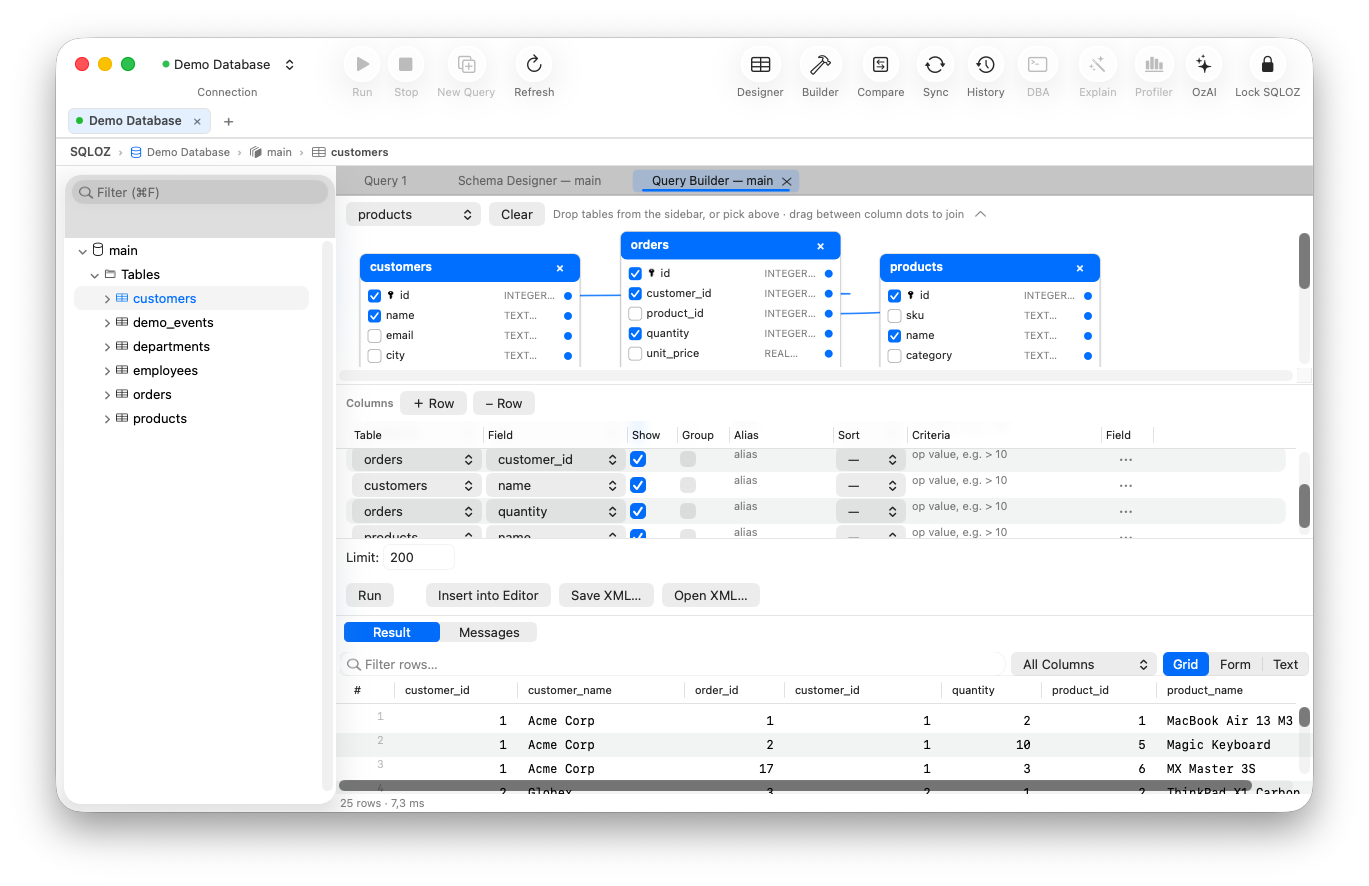
In this beginner-friendly tutorial, we show you how to model nested SQL subqueries visually on your Mac using SQLOZ.
1. The 3 Most Common Types of Subqueries
Type 1: Scalar Subquery in a WHERE Clause
A scalar subquery returns a single value (one row, one column).
-- Find orders that exceed the overall store average:
SELECT id, total_amount
FROM orders
WHERE total_amount > (SELECT AVG(total_amount) FROM orders);
Type 2: Subquery with IN (Multi-Row Filtering)
Filters against a list of values produced by an inner query.
-- Find customers who placed an order in the last 30 days:
SELECT id, email
FROM customers
WHERE id IN (
    SELECT customer_id FROM orders WHERE created_at >= NOW() - INTERVAL 30 DAY
);
Type 3: Correlated Subquery with EXISTS
The inner query references columns from the outer query for each evaluated row.
2. Building Subqueries Visually in SQLOZ
Instead of writing complex nested brackets, SQLOZ lets you construct subqueries as reusable visual blocks.
Step 1: Create the Primary Query Canvas
Open the Query Builder tab in SQLOZ and drag customers onto your main canvas.
Step 2: Add a Subquery Filter Block
- In the bottom Conditions panel, click + Add Condition.
- Select
customers.id➔ Operator: IN (Subquery). - SQLOZ opens a lightweight nested sub-canvas directly beneath the condition.
Step 3: Configure the Inner Query
Inside the nested sub-canvas:
- Drag the
orderstable. - Select
orders.customer_idas the projected output. - Add an inner condition:
orders.created_at >= '2026-08-01'.
Step 4: Inspect the Live Compiled SQL
As you connect the visual blocks, SQLOZ’s AST compiler compiles the clean nested statement in the Live SQL Preview panel:
SELECT
    c.id,
    c.email
FROM customers c
WHERE c.id IN (
    SELECT o.customer_id
    FROM orders o
    WHERE o.created_at >= '2026-08-01'
);
3. Visual Subqueries vs. Common Table Expressions (CTEs)
If your subquery is deeply nested, SQLOZ allows you to toggle the output mode from a standard nested subquery to an elegant Common Table Expression (WITH ... AS) with a single click.
CTEs make complex queries substantially easier to read, debug, and maintain.
Summary
Modeling nested logic shouldn’t feel like navigating a maze of parentheses.
With SQLOZ, Mac developers can build, visualize, and optimize nested subqueries visually with complete confidence.
Download SQLOZ for macOS and experience visual SQL modeling today.