
Over the past decade, modern software development toolchains have become remarkably cluttered. What used to be a simple, focused developer experience has evolved into a labyrinth of electron wrappers, cloud dashboard tabs, notification badges, and background daemons competing for system resources.
In 2026, a growing movement of senior software engineers, indie hackers, and open-source maintainers is pushing back. They are building minimalist macOS setups: environments designed around native code, low memory consumption, zero notification clutter, and lightning-fast feedback loops.
In this guide, we break down the definitive minimalist developer stack for full-stack web engineers on Apple Silicon.
The Philosophy of the Minimalist Dev Setup
A truly minimalist developer environment is guided by four principles:
- Native Over Emulated: Prefer applications compiled directly to Swift, Rust, or C++ over heavy web-wrapper runtimes.
- Low Cognitive Load: Eliminate extraneous toolbars, modal dialogs, and intrusive telemetry.
- Instant Latency: Every action - from opening a file to executing a database query - must complete in under 100 milliseconds.
- All-Day Battery Freedom: The entire stack should allow you to work untethered in a park or coffee shop for 8+ hours without battery anxiety.
1. Terminal: Ghostty or Kitty (GPU-Accelerated)
Replace legacy terminal emulators with modern GPU-accelerated alternatives:
- Ghostty: Built in Zig and native macOS AppKit, Ghostty delivers blistering font rendering, sub-millisecond input latency, and seamless native macOS window integration.
- Shell: Clean
zshwith minimal prompts (like Starship) and instant history search viaatuin.
2. Code Editor: Zed or Cursor / VS Code (Stripped Lean)
- Zed: Written from scratch in Rust with custom GPU UI rendering. Zed starts in 50 milliseconds, uses 10x less RAM than traditional editors, and includes seamless multi-buffer navigation.
- If using VS Code / Cursor: Ruthlessly prune extensions. Disable unused language servers, turn off animated minimaps, and keep active plugins under 10.
3. Database Management: SQLOZ (Native Swift & Metal)
For database inspection, query authoring, and schema management, avoid multi-gigabyte Java tools or web wrappers.
SQLOZ represents the gold standard of native macOS minimalism:
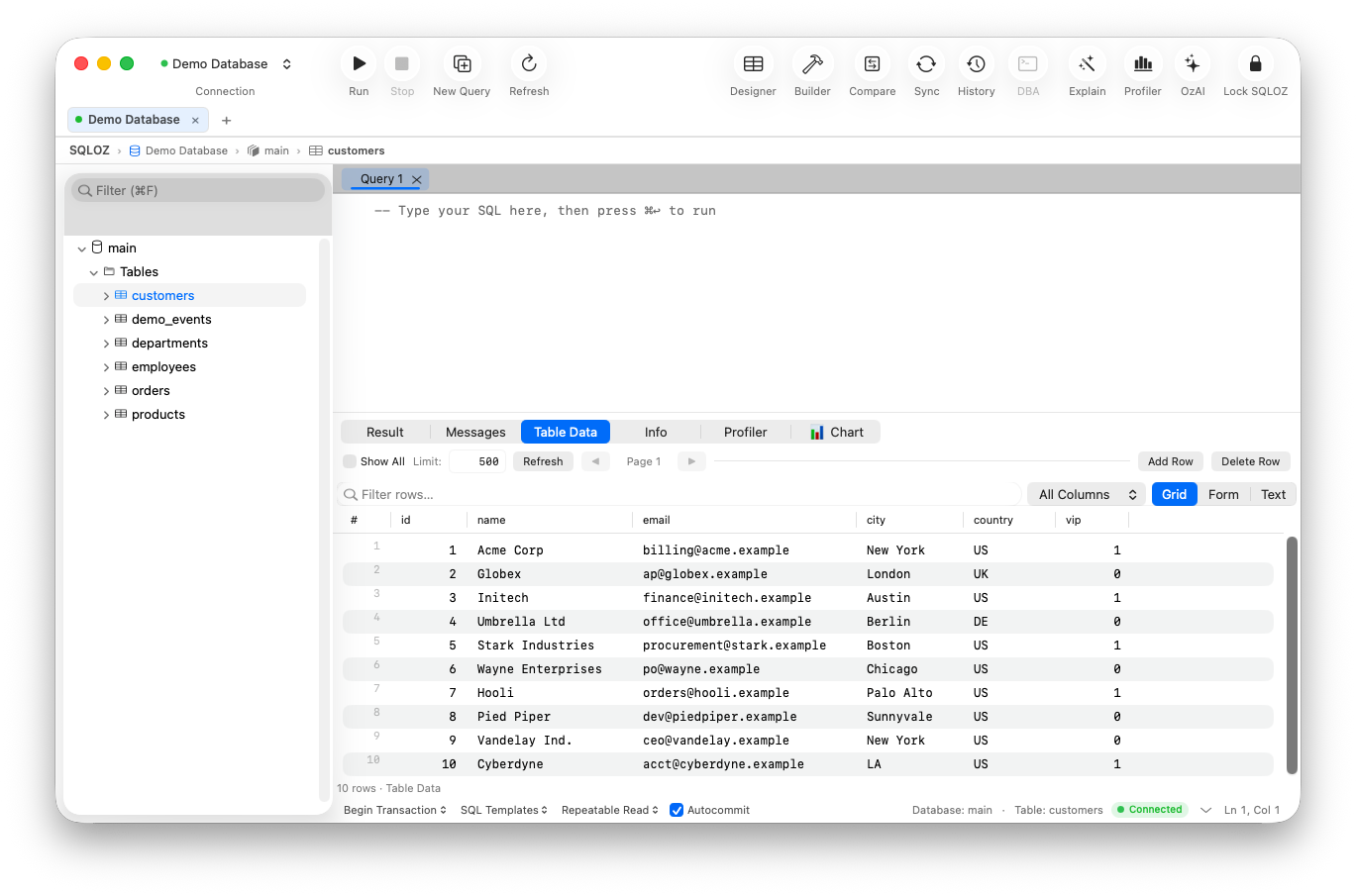
- Instant Startup: Launches in 0.4 seconds, matching the speed of native macOS system apps.
- Featherweight Footprint: Consumes just 45 MB to 75 MB of RAM with multiple open tabs.
- Universal Engine Support: Query MySQL, PostgreSQL, SQLite, and cloud databases (like Supabase, PlanetScale, and Cloudflare D1) through a single, elegant native interface.
- Zero Configuration SSH Bastions: Connect to private production VPCs with hardware-backed macOS Keychain encryption and automatic reconnection.
4. Local Services: OrbStack or Native Homebrew
Ditch Docker Desktop and its resource-hungry Linux VM.
- OrbStack: Replaces Docker Desktop with a native Swift engine. Containers boot in under 2 seconds and dynamic memory allocation frees unused RAM immediately.
- Homebrew Services: When Docker isn’t strictly necessary, run PostgreSQL and Redis directly as native Darwin daemons for near-zero memory footprint.
5. API Testing: HTTPie Desktop or Native cURL Scripts
Instead of bloated API clients that hoard hundreds of megabytes of RAM just to execute a POST request:
- Use native command-line cURL or HTTPie within your terminal.
- Or use lightweight native Swift HTTP clients that honor macOS system shortcuts and keychain certificates.
The Minimalist Stack Summary: Memory & Performance
| Component | Bloated Standard Setup | Minimalist 2026 Setup | RAM Saved |
|---|---|---|---|
| Terminal | Electron-based Terminal | Ghostty (AppKit / Zig) | ~350 MB |
| Code Editor | Full IDE with 40 plugins | Zed (Rust / GPU) | ~1,200 MB |
| Database GUI | DBeaver / DataGrip | SQLOZ (Swift / Metal) | ~1,800 MB |
| Container Engine | Docker Desktop | OrbStack / Homebrew | ~4,500 MB |
| API Client | Heavy Workspace Client | Terminal cURL / HTTPie | ~600 MB |
| Total System RAM | ~10.5 GB RAM | < 1.2 GB RAM | ~88% Saved! |
Summary
A minimalist development setup isn’t about doing less; it’s about removing the technical friction that stands between your ideas and working production software.
By pairing ultra-fast editors with native Swift tools like SQLOZ, you reclaim system performance, extend your battery life, and rediscover the joy of focused software engineering.
To learn more about optimizing your macOS development workflow, explore our guides on Why Native Swift Database Clients Outperform Electron and How Much RAM Does Your Database GUI Consume?.