
Clear database documentation is essential for engineering onboarding, compliance audits (SOC2, ISO 27001), and architectural RFCs. Yet, maintaining accurate data dictionaries is one of the most neglected tasks in software development.
Developers frequently rely on out-of-date Confluence pages or raw SQL dumps cluttered with storage engine syntax, collations, and auto-increment numbers that are unreadable to stakeholders.
In this guide, we explore how to generate clean Markdown schema documentation programmatically, examine command-line tools, and showcase how native macOS database GUIs export elegant data dictionaries in one click.
1. Extracting Schema Metadata via SQL
If you need a quick markdown table for a single entity, query the standard information schema.
PostgreSQL: Generating a Column Data Dictionary
SELECT
    column_name AS "Column",
    data_type AS "Type",
    is_nullable AS "Nullable",
    column_default AS "Default",
    col_description((table_schema||'.'||table_name)::regclass::oid, ordinal_position) AS "Description"
FROM information_schema.columns
WHERE table_name = 'orders'
  AND table_schema = 'public'
ORDER BY ordinal_position;
MySQL: Generating a Column Data Dictionary
SELECT
    COLUMN_NAME AS `Column`,
    COLUMN_TYPE AS `Data Type`,
    IS_NULLABLE AS `Nullable`,
    COLUMN_DEFAULT AS `Default`,
    COLUMN_COMMENT AS `Description`
FROM information_schema.COLUMNS
WHERE TABLE_SCHEMA = DATABASE()
  AND TABLE_NAME = 'orders'
ORDER BY ORDINAL_POSITION;
While these queries extract raw columns, converting the output into formatted Markdown with foreign key relationships, composite index definitions, and visual ER diagrams requires significant manual post-processing.
2. Command-Line Schema Generators (SchemaSpy / tbls)
CLI tools like tbls or Java-based SchemaSpy can parse schemas into static HTML or Markdown repositories:
# Example generating markdown with tbls
tbls doc my_mysql_db -t md
Pain Points of CLI Generators:
- Dependency Overhead: Often require Java runtimes, Graphviz binaries, or Docker daemon access.
- Static & Disconnected: Generates hundreds of loose markdown files that rapidly fall out of sync with migrations.
- Lacks Interactive Scope Selection: Difficult to export just three specific tables for a pull request or design doc without editing config YAML files.
3. One-Click Schema Export in SQLOZ (macOS Native)
Designed with documentation workflows in mind, SQLOZ includes a native Schema Documenter & Data Dictionary Generator optimized for macOS.
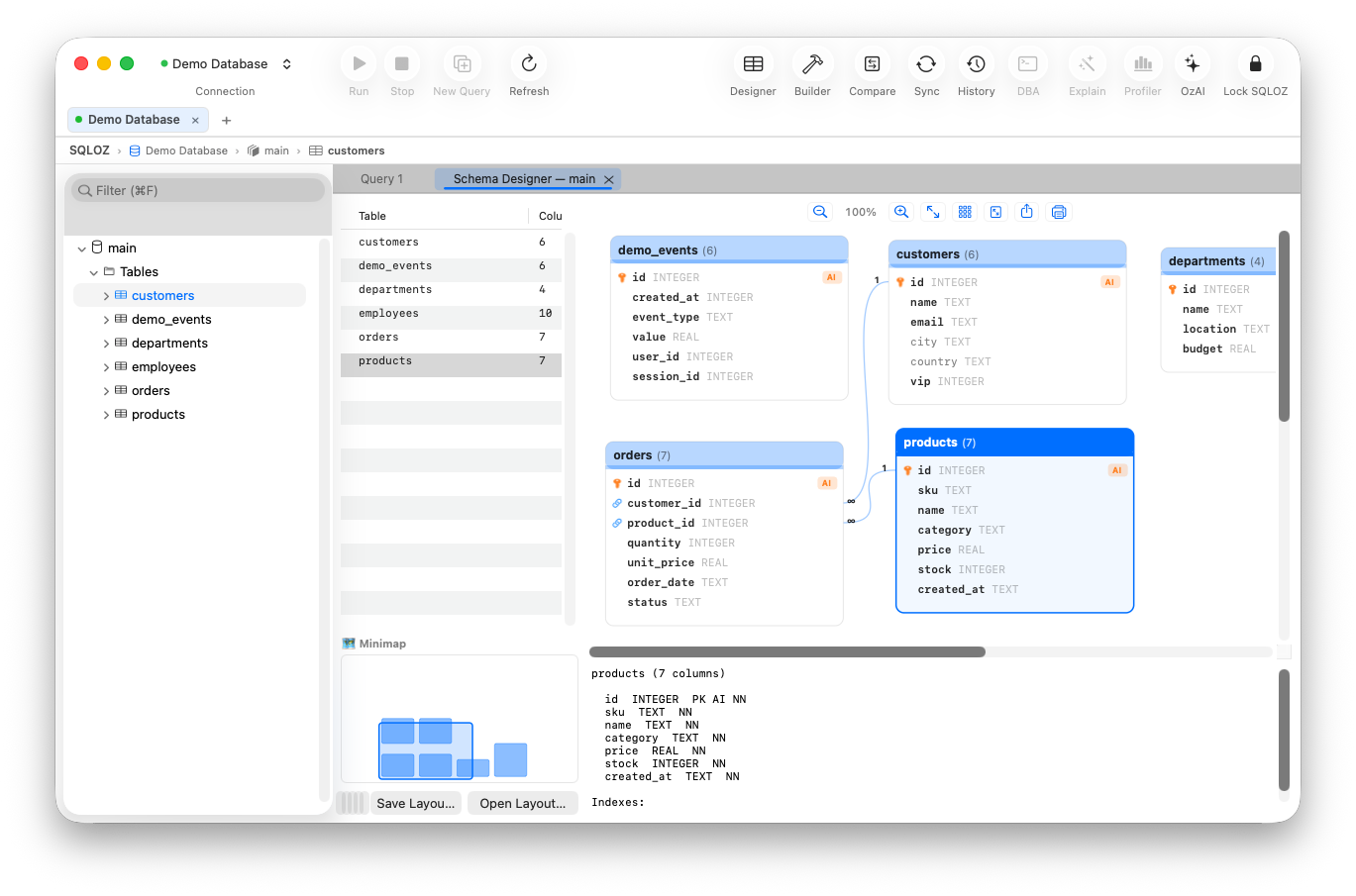
Export Capabilities in SQLOZ:
- GitHub-Flavored Markdown: Export selected tables, views, or entire database schemas directly to your clipboard or a
.mdfile. Output includes formatted GFM tables, foreign key link references, nullability badges, and column comments. - Interactive Mermaid.js ERD Diagrams: Generates clean, copy-pasteable Mermaid ER diagrams that render natively inside GitHub issues, pull request descriptions, and Notion pages:
erDiagram USERS ||--o{ ORDERS : places ORDERS ||--|{ ORDER_ITEMS : contains PRODUCTS ||--o{ ORDER_ITEMS : includes - Executive PDF Reports: Generate polished vector PDF summaries with customizable company headers, index maps, table statistics, and entity relationship diagrams - ideal for SOC2 security auditors and external clients.
- Selective Scoping: Hold
⌘to highlight specific tables in the sidebar or Visual Schema Designer and export only the active context without schema bloat.
Summary
Accurate database documentation bridges the gap between backend engineering, product management, and compliance auditors. Instead of letting documentation drift out of date, utilize native generation tools like SQLOZ to produce clean, reproducible Markdown data dictionaries in seconds.
To explore more about schema visualization and architectural planning, read our guide on Mapping Multiple Relational Tables Visually Before Writing Backend Code and learn about Visualizing Foreign Key Relationships.