
When running database servers in cloud environments like AWS RDS, DigitalOcean, or Hetzner, disk storage capacity is a primary operational constraint. Unexpected volume exhaustion can cause MySQL to enter read-only emergency recovery mode, halt replication, or crash completely.
However, calculating exact table sizes in MySQL is not as straightforward as running du -sh on the filesystem. A table consuming 80 GB on disk may actually only contain 25 GB of active rows, with the remaining 55 GB consumed by fragmented empty pages, deleted record placeholders, or oversized secondary indexes.
In this guide, we explore how to query exact table and index sizes, diagnose tablespace fragmentation in InnoDB, and reclaim disk space safely.
1. Querying Table and Index Sizes via information_schema
MySQL tracks estimated data lengths and index allocations in information_schema.TABLES.
Finding the Top 15 Largest Tables in Your Database
SELECT
    table_name AS `Table`,
    ROUND(((data_length + index_length) / 1024 / 1024), 2) AS `Total Size (MB)`,
    ROUND((data_length / 1024 / 1024), 2) AS `Data Size (MB)`,
    ROUND((index_length / 1024 / 1024), 2) AS `Index Size (MB)`,
    table_rows AS `Estimated Rows`,
    ROUND((data_free / 1024 / 1024), 2) AS `Fragmented Space (MB)`
FROM information_schema.TABLES
WHERE table_schema = DATABASE()
ORDER BY (data_length + index_length) DESC
LIMIT 15;
Key Metrics to Understand:
data_length: The physical space allocated to the primary clustered index (the actual table rows in InnoDB).index_length: The combined size of all secondary B-tree indexes defined on the table. (Ifindex_lengthis larger thandata_length, you likely have redundant or unused indexes!).data_free: The amount of allocated tablespace currently sitting empty as fragmented page slots following bulkDELETEorUPDATEstatements.
2. The InnoDB Storage Reality: Why DELETE Doesn’t Free Disk Space
A common misconception among developers is that deleting millions of old records will immediately shrink the server’s disk usage:
-- Deleted 10 million rows, but df -h shows 0 GB freed!
DELETE FROM audit_logs WHERE created_at < '2025-01-01';
Why Does This Happen?
InnoDB allocates storage in 16KB pages grouped into extents (typically 1MB). When a row is deleted, InnoDB simply marks that record slot as “deleted” inside its respective 16KB page. The operating system filesystem file (e.g., /var/lib/mysql/my_db/audit_logs.ibd) does not shrink.
The freed page slots are retained by InnoDB to accommodate future INSERT operations on that specific table.
3. How to Reclaim Fragmented Disk Space
To return unallocated space back to the underlying operating system filesystem, the table must be defragmented and rebuilt.
Prerequisite: File-Per-Table Configuration
Ensure innodb_file_per_table is enabled (default in MySQL 5.6+ and 8.0+):
SHOW VARIABLES LIKE 'innodb_file_per_table';
-- Value must be ON
Method A: Running OPTIMIZE TABLE
OPTIMIZE TABLE audit_logs;Under the hood, MySQL executes ALTER TABLE audit_logs ENGINE=InnoDB, which creates a fresh temporary .ibd file containing only active rows, copies the data, updates pointers, and drops the old bloated tablespace file.
[!CAUTION] Disk Overhead Requirement: Because MySQL rebuilds the table into a new temporary file before swapping it, you must have enough free disk space to store at least 1.5x the active size of the table. Running
OPTIMIZE TABLEon an 98% full disk will crash the server!
Method B: Online DDL Without Blocking Traffic (MySQL 8.0+)
ALTER TABLE audit_logs ENGINE=InnoDB, ALGORITHM=INPLACE, LOCK=NONE;This reconstructs the table online while permitting concurrent read and write operations from your web application.
4. Visual Table Diagnostics in SQLOZ (macOS Native)
Rather than writing multi-line information schema queries or guessing tablespace fragmentation thresholds, SQLOZ includes a dedicated Table Diagnostics & Storage Analyzer built natively for macOS.
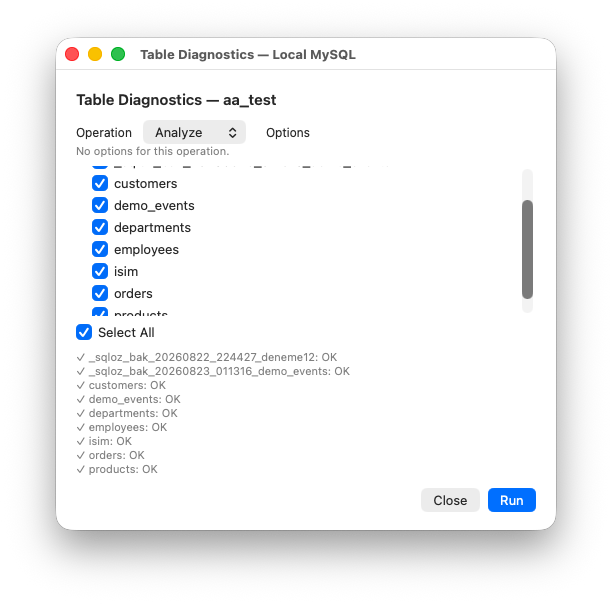
What SQLOZ Storage Inspector Delivers:
- Interactive Storage Treemap: View a visual disk footprint map of your entire database schema. Spot bloated audit tables, bloated JSON documents, or oversized indexes at a glance.
- Index-to-Data Ratio Meter: Identifies tables where secondary indexes consume excessive storage compared to actual data.
- Fragmentation Warning Indicators: Flags tables where
data_freeexceeds 30% of total allocation and estimates the exact gigabytes you will reclaim upon optimization. - One-Click Safe Optimize: Triggers
ALTER TABLE ... ALGORITHM=INPLACEwith live progress bars and safety checks for available server disk overhead.
Summary
Managing database disk capacity requires proactive monitoring of data_length, index_length, and data_free. By eliminating redundant secondary indexes and periodically defragmenting high-churn tables with tools like SQLOZ, you can prevent disk-full panics and maintain consistent I/O performance.
To explore further techniques on table maintenance and data pruning, read our guide on TRUNCATE vs DROP vs DELETE Differences and learn How to Inspect Indexes to Optimize Slow Queries.