
PostgreSQL is the gold standard for production web applications, offering advanced features like JSONB, UUID primitives, composite types, and sophisticated window functions. But running a full PostgreSQL server locally isn’t always ideal.
Whether you are:
- Building a self-contained local demo or test suite that runs in continuous integration (CI) without Docker,
- Packaging an offline database snapshot for an iOS/macOS client application, or
- Working offline while traveling without network access to your remote cloud staging server,
converting your PostgreSQL schema and tables into a local SQLite database provides instant speed, portability, and zero-configuration convenience.
In this guide, we explore the primary challenges of mapping PostgreSQL constructs to SQLite and demonstrate how to perform an automated local conversion using SQLOZ on Mac.
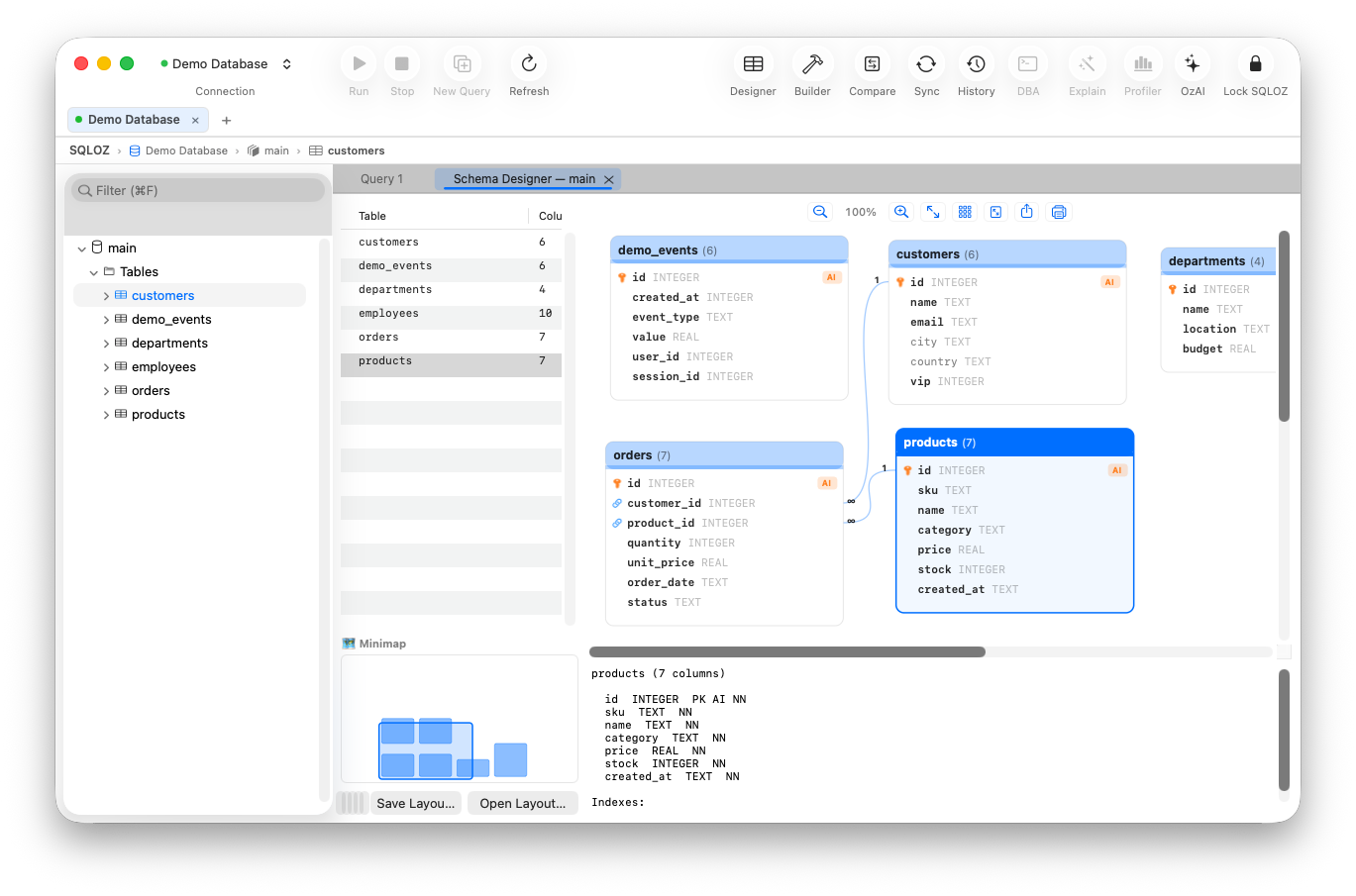
1. The Architectural Challenges of Postgres to SQLite Conversion
PostgreSQL has one of the richest type systems in the world, while SQLite has one of the most minimalist. Moving schemas between them requires careful translation:
A. UUIDs and JSONB Types
PostgreSQL features native UUID and decomposed binary JSONB data types. SQLite has no dedicated UUID or JSONB storage classes:
- UUIDs: In SQLite, UUIDs must be stored as canonical 36-character
TEXTstrings (or 16-byteBLOBvalues). - JSONB: SQLite supports JSON functions (via the JSON1 extension), but stores all JSON structures as UTF-8 encoded
TEXT.
B. Serial Sequences vs. Autoincrement
PostgreSQL uses identity columns or sequences (BIGSERIAL / GENERATED ALWAYS AS IDENTITY). SQLite requires:
id INTEGER PRIMARY KEY AUTOINCREMENTIf you simply dump Postgres DDL and try to run it in SQLite, the statement fails immediately on the first nextval('users_id_seq') or sequence declaration.
C. Timestamps with Time Zones (TIMESTAMPTZ)
PostgreSQL stores TIMESTAMPTZ normalized to UTC and converts to the client’s session timezone. SQLite stores timestamps as ISO-8601 strings (e.g., '2026-09-14 18:20:00+00:00'). Failing to format timestamps properly will break ORM date parsing in libraries like Prisma, SQLAlchemy, or ActiveRecord.
2. The Native macOS Solution with SQLOZ
Instead of maintaining brittle bash scripts, SQLOZ delivers an automated, visual conversion pipeline.
Step-by-Step Conversion in SQLOZ:
Step 1: Connect to Your Remote PostgreSQL Instance
Open SQLOZ and connect to your PostgreSQL database (via direct TLS or an encrypted SSH Tunnel).
Step 2: Open the Schema Designer / Migration Dialog
Right-click your PostgreSQL database (or select specific schemas/tables) and choose Export / Convert to SQLite…
Step 3: Automated Dialect Normalization
SQLOZ’s AST compiler inspects the Postgres catalog and automatically adapts column types:
- Maps
UUIDcolumns toTEXTwith format preservation. - Normalizes
JSONBstructures into standardTEXTwith JSON syntax validation. - Replaces sequence generators with
INTEGER PRIMARY KEY AUTOINCREMENT. - Rewrites
BOOLEANcolumns (true/false) into SQLite integers (1/0).
Step 4: Choose Your Destination .sqlite File
Choose a destination file path in macOS Finder. SQLOZ will create the SQLite database file and stream table rows in optimized memory batches.
3. Validating the Local SQLite Database
Once the transfer finishes:
- Double-click the newly generated SQLite file directly inside SQLOZ to open a native workspace tab.
- Open the Data Grid to inspect row parity and data integrity.
- Use the Visual Query Builder to verify that multi-table relationships and foreign keys mapped accurately.
Summary
Converting a complex PostgreSQL database into a compact, single-file SQLite database makes local development, testing, and offline prototyping remarkably fast.
With SQLOZ, Mac developers can bridge the gap between heavy cloud databases and lightweight local workflows in seconds.
Download SQLOZ for macOS and create portable SQLite databases from your PostgreSQL servers today.