
If you use TablePlus on a Mac without a paid license, you know the exact dialogue box that appears every few hours:
“You have reached the limit of 2 open tabs/workspaces on the free tier. Please close an existing tab or upgrade to a paid license.”
For software engineers managing a local development database, a staging environment, and a remote cloud cluster simultaneously, being restricted to only 2 active tabs and 2 filters is a severe bottleneck. You find yourself constantly closing queries, losing execution history, and re-typing connection credentials.
While TablePlus is a well-engineered native tool, its free-tier restrictions push many developers to seek alternatives that provide full, unconstrained control.
Here is an overview of why developers look beyond TablePlus and the best native macOS alternatives in 2026.
What are the Exact TablePlus Free Limitations?
When evaluating TablePlus’s free version, developers face several operational ceilings:
- 2 Open Tabs at Once: Trying to compare two schemas side-by-side or keep a reference table open while writing queries requires constant tab-juggling.
- 2 Active Filters: Advanced querying in the data grid is restricted to just two conditions.
- No Visual Query Builder: Even on the paid tier, TablePlus lacks a visual drag-and-drop JOIN or relationship builder.
- No Cross-Dialect Migration: Moving data between different database engines (e.g., SQLite to Postgres) requires manual export scripts.
1. SQLOZ: The Ultimate Unconstrained Native Alternative
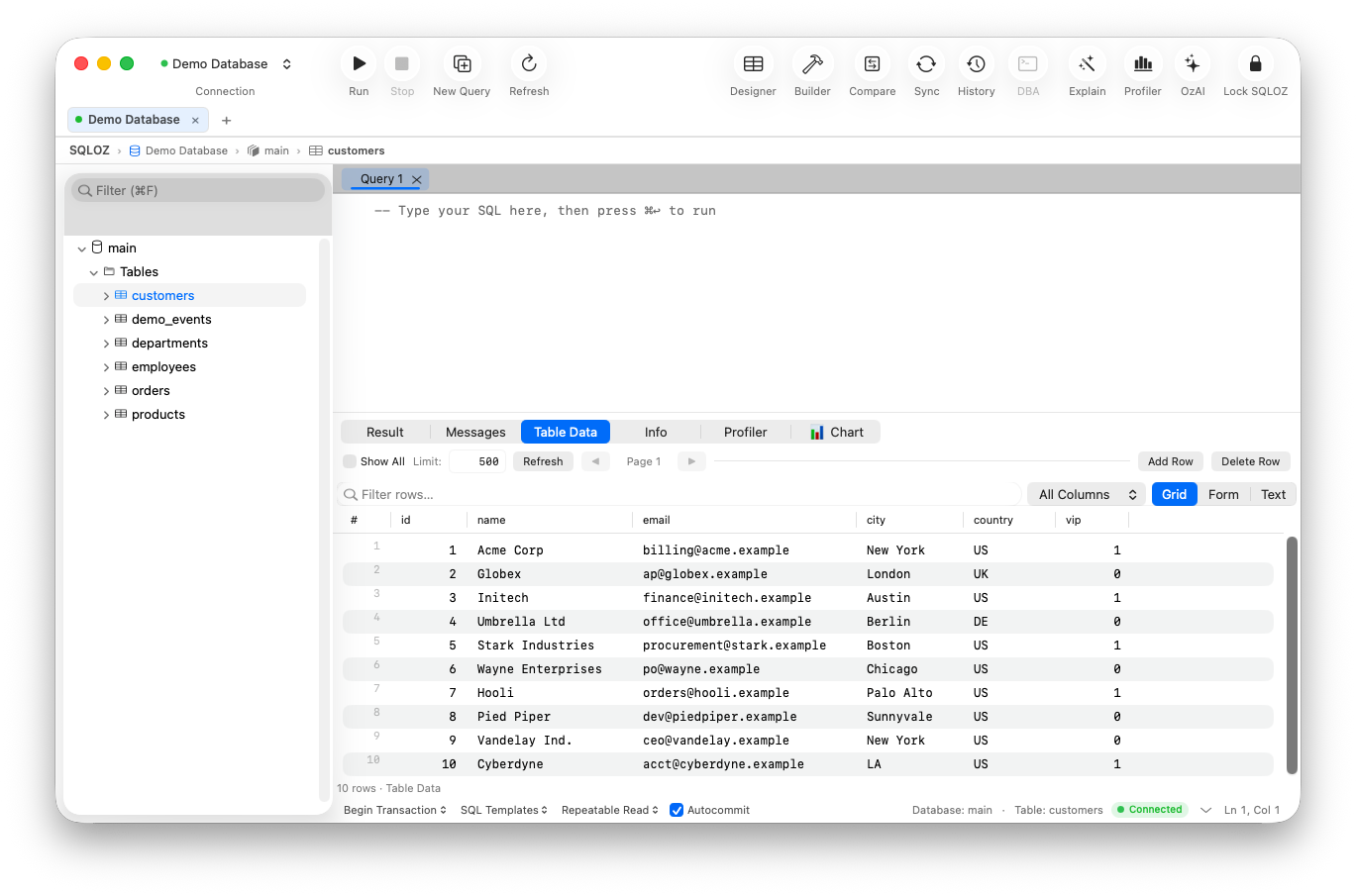
SQLOZ provides the native macOS speed, keyboard shortcuts, and clean aesthetics developers love in TablePlus - without artificial tab throttles.
Why SQLOZ is the Preferred Upgrade:
- Unlimited Tabs & Workspaces: Keep as many local, staging, and production database connections open as your workflow demands.
- Integrated Visual Query Builder: Build complex multi-table joins on an infinite 120 FPS canvas with live SARGable SQL preview.
- Built-in Safety Gate: Prevents accidental data loss by analyzing queries before execution and halting unindexed
UPDATEorDELETEstatements. - 1-Click Cross-Dialect Migration: Move schemas and data seamlessly between MySQL, PostgreSQL, and SQLite.
- Pure Apple Silicon Architecture: Written in Swift and Metal. Idles under 60MB RAM with sub-100ms startup times.
2. Sequel Ace (For MySQL-Only Workflows)
If you only use TablePlus to connect to MySQL or MariaDB instances, Sequel Ace provides an open-source, unrestricted native option.
- Pros: 100% free; unlimited open tabs and filters.
- Cons: Strictly limited to MySQL (no PostgreSQL, SQLite, or Redis support).
- Verdict: Great for single-engine MySQL stacks.
3. DBeaver Community (Cross-Platform Powerhouse)
If you want an open-source tool that supports every database engine with zero tab limits:
- Pros: Free; connects to all databases via JDBC.
- Cons: Java-based; heavy RAM consumption (1GB+); slower startup.
- Verdict: Great feature set, but lacks macOS native feel.
TablePlus Free Tier vs. SQLOZ Comparison
| Feature | TablePlus (Free Tier) | SQLOZ (Native Mac) |
|---|---|---|
| Open Tab Limit | ❌ 2 Tabs Only | ✅ Unlimited Workspaces |
| Active Grid Filters | ❌ 2 Filters Max | ✅ Unlimited Filter Pills |
| Visual Query Builder | ❌ None | ✅ 120 FPS Drag-and-Drop Canvas |
| Cross-Dialect Migration | ❌ None | ✅ 1-Click Binary Streaming Engine |
| macOS Native Architecture | ✅ Yes (Swift) | ✅ Yes (Swift & Metal) |
| Idle RAM Footprint | ~90 MB | 45 MB – 75 MB |
Summary
You shouldn’t have to compromise your engineering velocity by constantly closing and reopening tabs.
With SQLOZ, Mac developers get an unconstrained, blazing-fast, and beautiful native database client that honors Apple Silicon hardware.
Download SQLOZ for macOS and unlock unrestricted multi-tab database management today.