
DBeaver is arguably the most versatile universal database tool in existence. Thanks to its Java and JDBC architecture, it can query virtually any relational or NoSQL database created in the last thirty years.
However, for developers working on macOS, running DBeaver on a daily basis comes with steep operational penalties:
- The Java/Eclipse Overhead: DBeaver launches inside an Eclipse RCP container that routinely consumes between 1.0GB and 1.8GB of RAM.
- Startup Lag: Cold launch times frequently exceed 5 seconds, even on high-end M3 or M4 Apple Silicon chips.
- Non-Native UI: Java Swing/SWT widgets ignore macOS keyboard navigation patterns, touchpad gestures, and dynamic window snapping.
If you are looking for a lightweight, native alternative to DBeaver on Mac, here are the top tools to consider in 2026.
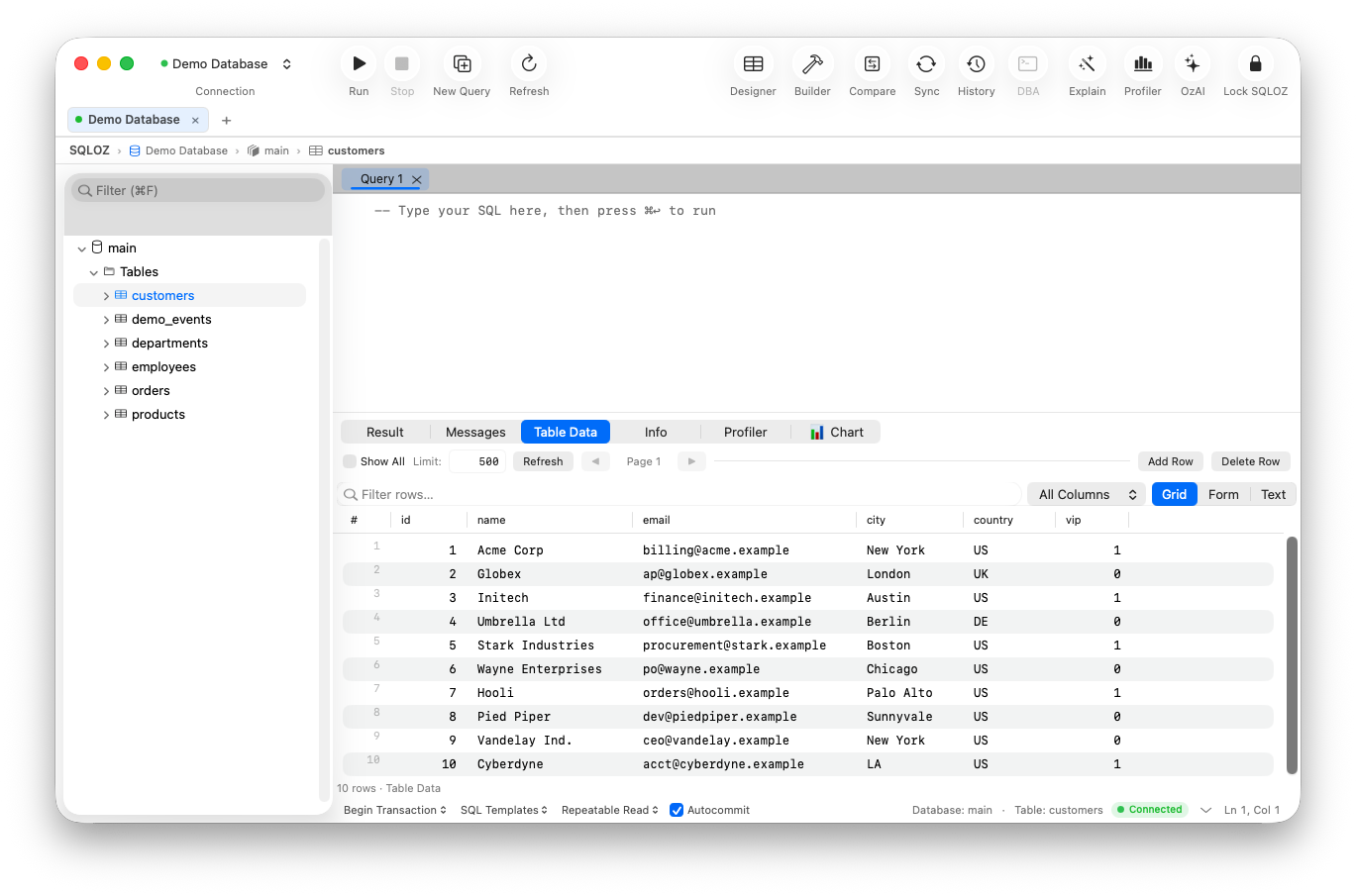
1. SQLOZ: The True Native Apple Silicon Powerhouse
SQLOZ was engineered from scratch in Swift, AppKit, and Metal to prove that a database management client can offer deep enterprise DBA tooling without the bloated footprint of Java.
- Startup Time: Under 100 milliseconds (instant cold launch).
- RAM Footprint: 45MB – 75MB idle memory.
- Engines: MySQL, MariaDB, PostgreSQL, SQLite.
- Why it replaces DBeaver: SQLOZ provides the deep diagnostics DBAs rely on (visual lock trees, schema diffing, cross-dialect migrations, and an interactive visual query builder) while running at a blistering 120 FPS on Apple Silicon.
2. TablePlus: The Minimalist Daily Driver
If your primary use of DBeaver is running simple SELECT queries and editing rows in a grid, TablePlus is a popular native option.
- Pros: Clean native UI; inline cell editing; sub-100MB memory footprint.
- Cons: Free tier restricts you to 2 open tabs and 2 active filters; lacks visual ERD schema design and automated cross-database migration.
- Verdict: Excellent for quick ad-hoc queries, but restrictive for multi-tasking workflows.
3. Sequel Ace: The Free MySQL Specialist
If you only use DBeaver to connect to MySQL or MariaDB instances, Sequel Ace provides a completely free alternative.
- Pros: 100% open source; zero tab restrictions; familiar native macOS layout.
- Cons: MySQL only (cannot replace DBeaver for PostgreSQL or SQLite).
- Verdict: Great for single-database MySQL stacks.
4. Beekeeper Studio: Modern and Clean
Beekeeper Studio is an open-source client with an attractive dark mode interface.
- Pros: Supports Postgres, MySQL, SQLite, and SQL Server; clean SQL editor.
- Cons: Built on Electron. While lighter than DBeaver’s Java runtime, it still consumes 450MB–700MB of RAM.
- Verdict: A friendly UI, but heavier than pure native Swift applications.
Direct Benchmark: DBeaver vs. SQLOZ on macOS
| Metric | DBeaver Community | SQLOZ (Native Mac) |
|---|---|---|
| Runtime Architecture | Java / Eclipse RCP | Pure Swift, AppKit & Metal |
| Cold Startup Time | 4.5 – 6.2 seconds | < 100 milliseconds |
| Idle Memory (1 Connection) | ~1.2 GB RAM | ~50 MB RAM |
| Visual Query Builder | Dated Java Tree | 120 FPS Drag-and-Drop Canvas |
| Credential Storage | Master password file | Hardware macOS Keychain |
| Battery & Thermal Drain | Heavy CPU wakeups | Negligible (App Nap supported) |
Summary
You don’t need a heavy, 1.5GB Java virtual machine running in your dock just to query your database.
With SQLOZ, Mac developers get the deep features of enterprise tooling with the instantaneous speed, battery efficiency, and beauty of pure native macOS engineering.
Download SQLOZ for macOS and ditch DBeaver’s memory bloat today.