
Modern full-stack web development has a resource bloat problem. A standard local development environment for a Next.js, Laravel, or Django project frequently requires:
- Docker Desktop / Colima: Allocating 8 GB to 16 GB of RAM for a Linux virtual machine.
- Heavy IDEs & Language Servers: VS Code or JetBrains consuming 2 GB to 4 GB.
- Java / Electron Database GUIs: DBeaver or DataGrip taking another 2 GB.
- Browser instances: Multiple Chromium profiles eating remaining system memory.
On a base M1/M2/M3 MacBook with 8 GB or 16 GB of Unified Memory, this stack immediately triggers high memory pressure, aggressive disk swapping, and sluggish compilation cycles.
In this guide, we walk through building an ultra-lightweight, native macOS web dev environment that boots in seconds, runs cold and silent, and consumes less than 500 MB of total RAM while idling.
1. The Strategy: Replacing Virtual Machines with Native Daemons
Virtualization through Docker Desktop or virtual machines has significant utility for staging and production parity. However, running a full Linux kernel VM just to execute a local PostgreSQL instance or Redis key-value cache introduces unnecessary overhead.
By running lightweight native macOS services via Homebrew Services, your database processes execute directly on the Darwin kernel with zero virtualization penalties.
Setting Up Native Homebrew Services
# Install native ARM64 database engines via Homebrew
brew install postgresql@16 mysql@8.4 redis sqlite

# Start services as native macOS launchd daemons
brew services start postgresql@16
brew services start redis

# Check status and memory footprint
brew services list
Under this native architecture, PostgreSQL 16 idles at approximately 25 MB of RAM, and Redis consumes less than 10 MB of RAM!
2. The Database Choice: Embracing Modern Local SQLite
For many modern web applications, running a database server daemon locally isn’t even necessary.
With SQLite’s modern WAL (Write-Ahead Logging) mode, local SQLite databases can easily handle high concurrent read traffic and hundreds of queries per second:
-- Enable WAL mode for high-concurrency local development
PRAGMA journal_mode = WAL;
PRAGMA synchronous = NORMAL;
PRAGMA foreign_keys = ON;
Modern frameworks like Laravel (which now defaults to SQLite for new applications), Django, and Next.js / Prisma excel with local SQLite files. When it’s time to ship to production, you can migrate effortlessly to MySQL or PostgreSQL using automated schema tools.
3. The GUI Layer: Ditching Electron for Native Swift (SQLOZ)
Having a 25 MB database daemon is meaningless if your database GUI client consumes 2,000 MB.
Replacing Electron and Java-based tools with a native Swift client like SQLOZ completes the lightweight stack:
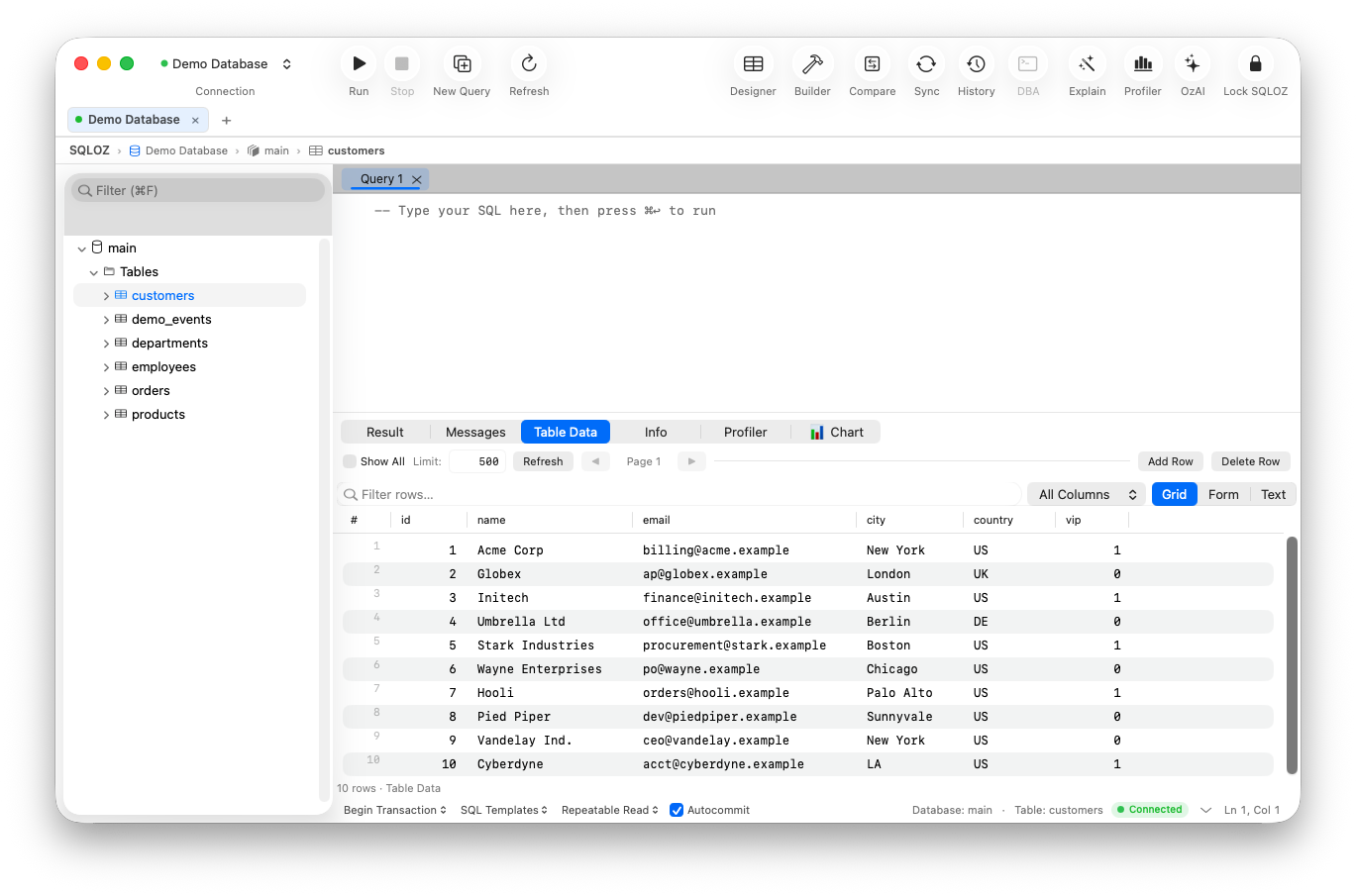
- Launch Speed: Starts up in under 100 milliseconds - ready before your finger lifts off the trackpad.
- Memory Footprint: Idles at just 45 MB to 75 MB of RAM with multiple active database connections.
- All-in-One Engine Support: Seamlessly connect to your native Homebrew PostgreSQL, local SQLite files, and remote cloud databases through SSH bastions in a single interface.
- Visual Query Builder & Schema Designer: Inspect relationships and build complex queries without installing heavy third-party plugins.
4. The Complete Lightweight macOS Stack at a Glance
| Layer | Traditional Heavy Setup | The Ultra-Lightweight Native Setup | Memory Savings |
|---|---|---|---|
| Virtualization | Docker Desktop (Linux VM) | Homebrew native services / SQLite | ~6,000 MB saved |
| Database Server | MySQL & Postgres in Docker | Native Darwin daemons / SQLite WAL | ~1,200 MB saved |
| Database GUI | DBeaver / DataGrip / Compass | SQLOZ (Pure Swift & Metal) | ~1,800 MB saved |
| Editor | VS Code with 30 heavy plugins | Cursor / Zed / Sublime Text / Nova | ~800 MB saved |
| Total Idle RAM | ~11.5 GB RAM | < 650 MB RAM | ~94% Reduction |
5. Seamlessly Promoting from Local to Production
When your feature is built and ready for staging or production, you don’t need to manually re-script your database.
Using SQLOZ’s integrated Cross-Dialect Migration Tool, you can stream your local SQLite database directly into a remote cloud PostgreSQL or MySQL instance in one click, complete with automatic type mapping and sequence alignment.
Summary
Building great software should not require turning your laptop into a high-heat space heater. By embracing native macOS architecture, Homebrew daemons, and lightweight Swift tools like SQLOZ, you unlock incredible development speed and all-day battery life.
To continue optimizing your developer environment, check out our guide on The Minimalist Mac Setup for Full-Stack Web Developers in 2026 and discover How to Migrate Dev SQLite to Staging MySQL in Seconds.