
You run docker compose up or attempt to start a local database service via Homebrew, and the terminal halts with a frustrating bind error:
Error response from daemon: driver failed programming external connectivity:
Bind for 0.0.0.0:3306 failed: port is already allocated
-- or:
could not bind IPv4 address "127.0.0.1": Address already in use (Port 5432)
Port conflicts on macOS are a rite of passage for every developer. They typically happen when a previous Docker instance exited uncleanly, a hidden Homebrew service is running in the background, or an older native database server launched automatically on system boot.
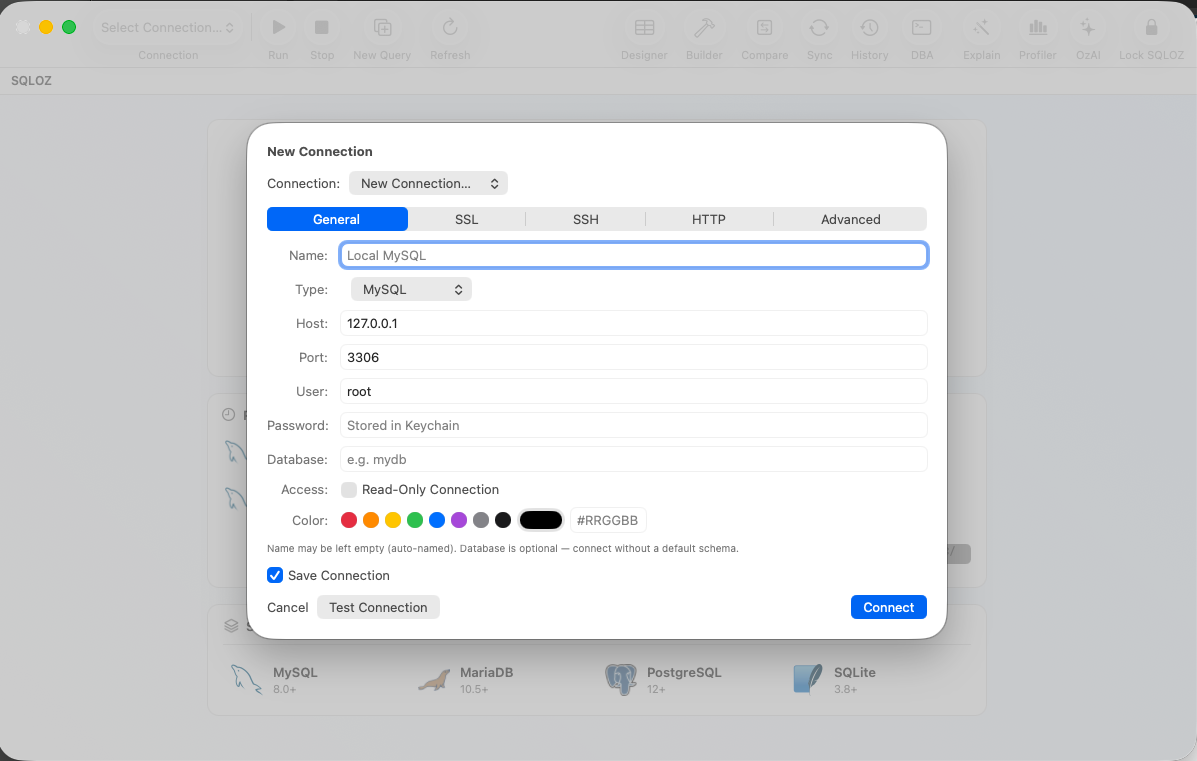
In this quick guide, we show you how to find the exact process hijacking ports 3306 or 5432, kill it safely, and configure SQLOZ to connect to custom ports.
1. Finding the Rogue Process with lsof
To identify which process is currently listening on port 3306 (MySQL) or 5432 (PostgreSQL), open the macOS Terminal and run lsof (List Open Files):
# For MySQL (Port 3306):
sudo lsof -i :3306

# For PostgreSQL (Port 5432):
sudo lsof -i :5432
Understanding the Output:
COMMAND   PID     USER   FD   TYPE             DEVICE SIZE/OFF NODE NAME
mysqld 48219 ozkanozcan 24u IPv4 0x1234567890abcdef 0t0 TCP localhost:mysql (LISTEN)- COMMAND: The application holding the port (e.g.,
mysqld,postgres,com.docker.backend). - PID: The Process ID (e.g.,
48219).
2. Terminating the Rogue Process
Scenario A: It’s a Background Homebrew Service
If the process was launched via Homebrew, don’t just kill the PID (Homebrew’s launchd will automatically restart it!). Stop the service cleanly:
brew services stop mysql
# Or for PostgreSQL:
brew services stop postgresql@16
Scenario B: It’s an Orphaned Process or Zombie Docker Container
If the process is unmanaged or stuck:
# Terminate gracefully with SIGTERM:
kill -15 [PID]

# Or force kill with SIGKILL if hanging:
sudo kill -9 [PID]
3. Alternative Fix: Use Custom Ports in SQLOZ
If you legitimately need to run multiple database instances simultaneously (e.g., a local Homebrew MySQL 8.0 on port 3306 AND a Dockerized legacy MySQL 5.7 container):
- Bind the second database to an alternative port in your Docker or server config:
ports:
- "3307:3306" # Mapped to host port 3307- In SQLOZ:
- Create a connection named
MySQL (Homebrew)pointing to port3306. - Create a second connection named
MySQL (Docker Container)pointing to port3307. - Assign distinct Environment Color Tags to tell them apart visually at a glance.
- Create a connection named
SQLOZ allows you to keep both connections open simultaneously in separate tabs without conflict.
Summary
Port allocation errors on macOS are easily resolved with lsof -i :PORT and brew services.
With SQLOZ, Mac developers can seamlessly organize and manage multiple database environments across different local ports and remote cloud clusters with zero friction.
Download SQLOZ for macOS and take control of your local database ports today.