
Writing SQL WHERE and HAVING filters by hand is straightforward for simple queries. But as soon as your business reporting requires nested logic blocks - such as (A AND B) OR (C AND NOT D) combined with GROUP BY and HAVING thresholds - syntax mistakes become almost inevitable.
A misplaced bracket in raw SQL can silently corrupt your report, leaking customer records from other tenants or skewing financial analytics without throwing a syntax error.
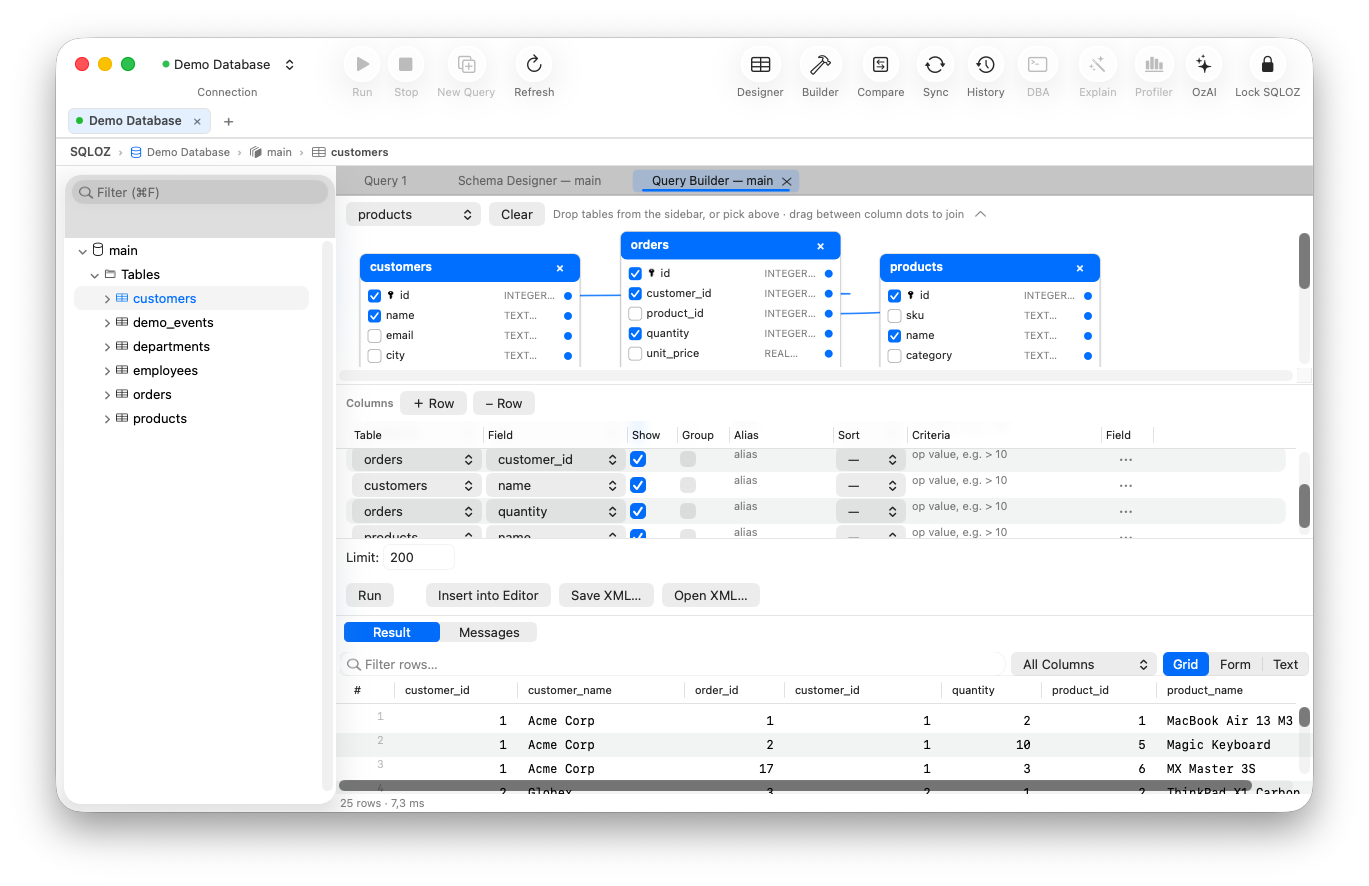
In this tutorial, we show you how to construct bulletproof nested filter logic and grouping aggregations using the Visual Query Builder in SQLOZ on macOS.
1. The Real-World Scenario: Complex Sales Segmentation
Imagine you need to generate an active VIP customer report meeting the following conditions:
- Customers who signed up in 2025 or 2026,
- AND who are located in either ‘US’ or ‘CA’,
- AND have placed orders with a total sum exceeding $1,000,
- OR customers who hold an ‘Enterprise’ subscription tier.
In raw SQL, writing this requires careful bracket nesting and a HAVING clause for the aggregation:
SELECT
    c.id, c.email, c.country,
    SUM(o.total_amount) AS total_spent
FROM customers c
LEFT JOIN orders o ON c.id = o.customer_id
WHERE
    ((c.created_at >= '2025-01-01' AND c.country IN ('US', 'CA'))
     OR c.subscription_plan = 'Enterprise')
GROUP BY c.id, c.email, c.country
HAVING SUM(o.total_amount) > 1000;
2. Building the Filter Visually in SQLOZ
SQLOZ provides an interactive Filter Pill Designer located directly beneath the visual canvas.
Step 1: Add Conditions with Visual Pills
- Drag
customersandordersonto the canvas and link their foreign keys. - In the bottom Conditions panel, click + Add Condition.
- Select
c.created_at➔ Operator:>=➔ Value:2025-01-01. - Click + Add Condition ➔ Select
c.country➔ Operator:in list➔ Values:'US', 'CA'.
Step 2: Visual Grouping (AND / OR Nesting)
- Select the two conditions and click Group (⌘G).
- Click the connector pill between the groups to toggle between AND and OR.
- Add the alternative condition:
c.subscription_plan = 'Enterprise'. - SQLOZ visually renders the logical hierarchy with indented color-coded grouping boxes, making logical precedence immediately obvious.
Step 3: Setting Up Aggregations & HAVING
- In the
orderstable card on the canvas, locatetotal_amount. - Open the aggregation dropdown and select SUM.
- In the HAVING filter tab, add:
SUM(orders.total_amount) > 1000.
SQLOZ automatically compiles the GROUP BY clause, injects the HAVING filter, and formats the query in the Live SQL Preview pane.
3. Instant Execution and Export
With your query modeled:
- Press ⌘R to execute the query immediately.
- Results populate the high-speed Metal data grid in milliseconds.
- Click Export to save the segmented customer list directly to CSV or JSON for marketing or billing teams.
Summary
Don’t spend hours debugging nested boolean parenthesis in text editors.
With SQLOZ, Mac developers can build, nest, and group complex relational filters visually with complete SARGable accuracy.
Download SQLOZ for macOS and experience visual query building on Apple Silicon today.