
DataGrip by JetBrains is widely regarded as the ultimate full-featured IDE for professional database developers. With deep code introspection, context-aware autocompletion, refactoring tools, and Git integration, it handles immense complexity with ease.
However, for modern full-stack web developers, mobile engineers, and data analysts working on a Mac, launching a massive Java-based IDE just to inspect a table or run a migration often feels like using a sledgehammer to crack a nut.
In this article, we evaluate whether JetBrains DataGrip is overkill for your daily workflow, and how modern, lightweight native macOS clients like SQLOZ offer a faster, battery-friendly alternative without sacrificing engineering depth.
1. When DataGrip Truly Shines
To be fair, DataGrip is an exceptional tool for specific enterprise roles:
- Dedicated Database Administrators (DBAs): Writing complex multi-file PL/pgSQL packages or Oracle PL/SQL procedures.
- Large Monorepos: Teams that store thousands of migration scripts in Git and need automated refactoring across all queries.
- Heavy JetBrains Users: Developers who already pay for the JetBrains All Products Pack and use the exact same shortcuts in IntelliJ, WebStorm, and PyCharm.
2. Why Developers Seek Lightweight Native Alternatives
For everyday application engineering, DataGrip introduces noticeable friction:
A. The Resource Tax (RAM & Battery)
DataGrip is built on the JetBrains Java platform. On Apple Silicon MacBooks:
- Baseline memory usage hovers between 1.2GB and 2.2GB of RAM.
- Background indexing can spin up fans or drain battery life during long mobile work sessions.
- Cold boot times range between 3 to 6 seconds, making quick ad-hoc queries feel sluggish.
B. UI Clutter
DataGrip’s interface has dozens of floating tool windows, sidebars, inspection markers, and toolbars. For developers who just want to view a table or test an API query, navigating this interface is overwhelming.
C. Recurring Subscription Cost
DataGrip requires an ongoing commercial subscription ($109+/year for individuals, $249+/year for businesses).
3. The Native Solution: SQLOZ
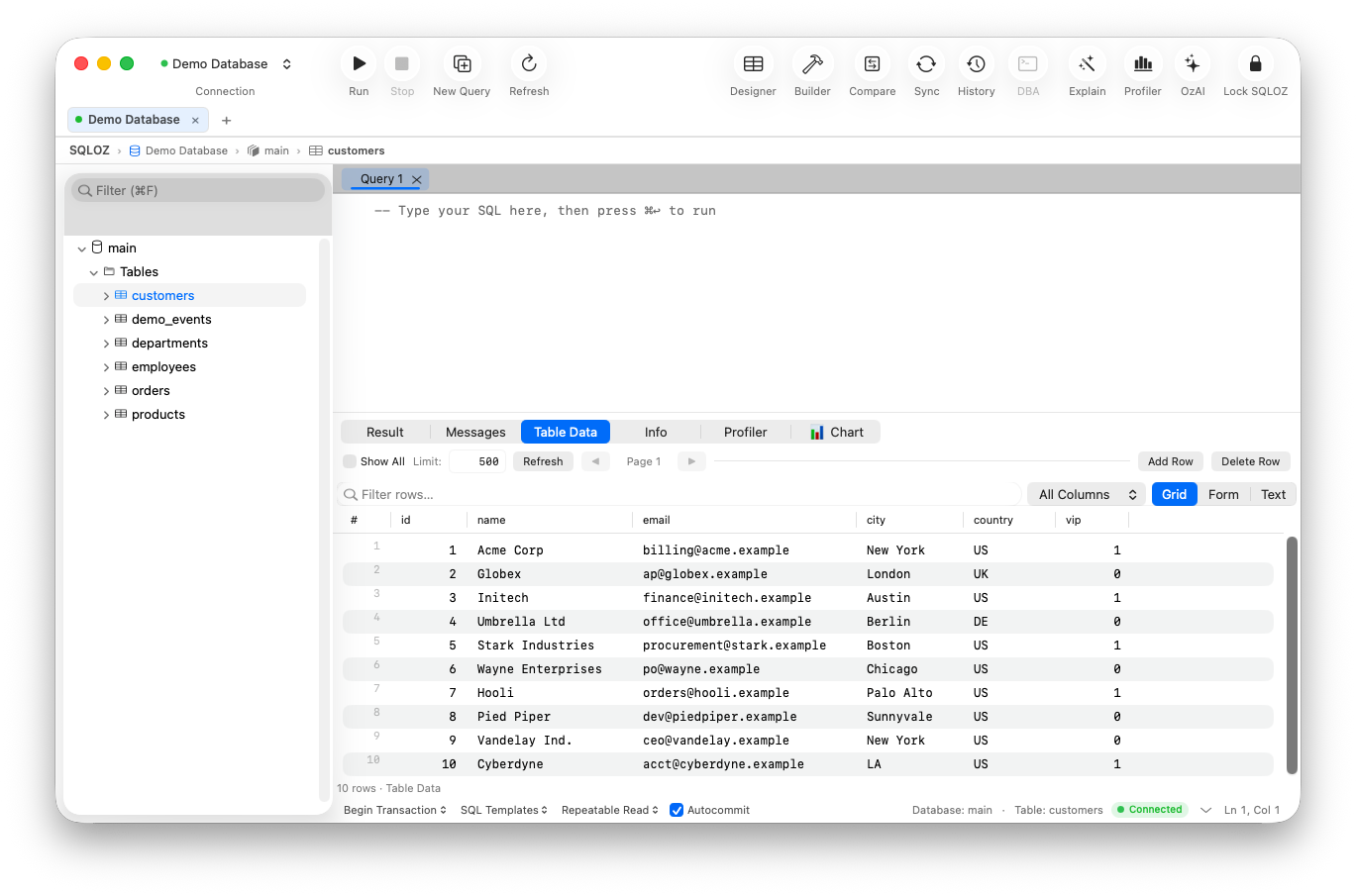
SQLOZ was architected specifically for developers who want the depth of a professional database client combined with the featherlight speed of a native Mac application.
| Comparison Metric | JetBrains DataGrip | SQLOZ (Native Mac) |
|---|---|---|
| Architecture | Java / Swing Platform | Pure Swift, AppKit & Metal |
| Cold Startup Time | 3.5 – 5.5 seconds | < 100 milliseconds |
| Idle RAM Footprint | ~1,400 MB | 45 MB – 75 MB |
| Visual Query Builder | Basic Diagram View | 120 FPS Drag-and-Drop Canvas |
| Cross-Dialect Migration | Script-based export | 1-Click Binary Streaming Engine |
| Pricing | $109 – $249 / year | Affordable / Lifetime Friendly |
Why SQLOZ is the Smart Middle Ground:
Unlike barebones query runners, SQLOZ doesn’t strip away power:
- Features an interactive Visual Query Builder for no-code multi-table joins.
- Includes OzLockTree for diagnosing transaction deadlocks and root blockers.
- Features a built-in Safety Gate that stops destructive queries missing
WHEREclauses. - Provides Cross-Dialect Migration between MySQL, PostgreSQL, and SQLite.
Summary: Is DataGrip Overkill for You?
- If your job is 100% focused on writing stored procedures for legacy Oracle/DB2/SQL Server databases: DataGrip is worth the overhead.
- If you are a full-stack developer, mobile engineer, or analyst on a Mac who wants instant startup, 50MB RAM usage, visual modeling, and deep diagnostics: DataGrip is overkill.
Experience the agility of native macOS database engineering.
Download SQLOZ for macOS and leave heavyweight IDE bloat behind.