
If you are a software engineer, data analyst, or DevOps specialist working on a Mac, your daily workflow likely depends heavily on database tooling. Yet, in 2026, finding a lightweight SQL client for Mac that doesn’t commandeer your system memory, drain your laptop battery, or delay query execution feels surprisingly difficult.
A huge segment of modern developer tools has transitioned to web-wrapped Electron runtimes. While cross-platform portability is convenient for software vendors, it comes at a punishing cost for Mac users: sluggish UI rendering, 800MB+ idle RAM footprints, and noticeable input latency.
In this curated guide, we evaluate the best lightweight, minimalist, and high-performance MySQL and PostgreSQL clients built specifically for macOS.
What Makes a Database Client Truly “Lightweight” on macOS?
Before ranking tools, we must define what “lightweight” actually means in an engineering context:
- Sub-100ms Cold Boot Times: The application should launch instantly when you need to run a quick query.
- Minimalist RAM Footprint (<100MB at Idle): Running a database client should not force macOS to swap memory to disk while Docker and your IDE are running.
- Pure Native UI (Swift/AppKit/Metal): Native controls adhere strictly to macOS gestures, typography, keyboard shortcuts, and dark mode dynamics.
- Instant Multi-Gigabyte Grid Scrolling: Scrolling through 100,000 rows must run at 120 FPS without hitching.
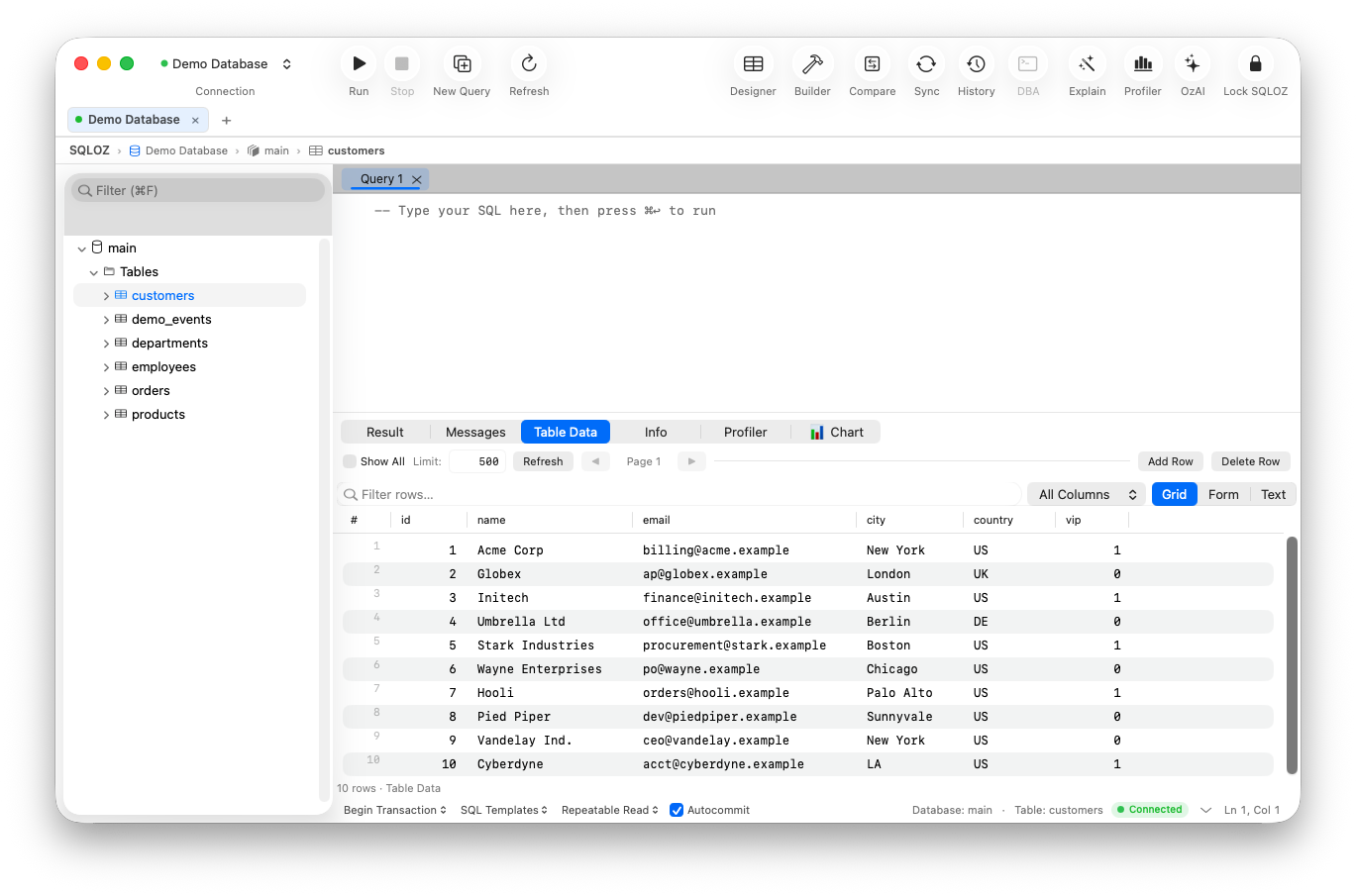
1. SQLOZ: The Benchmark for Apple Silicon Database Performance
SQLOZ was architected with a singular obsession: deliver uncompromising native macOS database management without third-party web runtime overhead.
- Under the Hood: Built 100% in Swift, Metal, and native C drivers.
- Cold Start Time: ~85 milliseconds.
- Idle Memory: 45 MB – 75 MB RAM.
- Supported Engines: MySQL, MariaDB, PostgreSQL, SQLite.
Why It Stands Out:
Unlike barebones query runners, SQLOZ balances featherlight resource usage with heavy-duty capabilities. It features an integrated Visual Query Builder for no-code joins, a zero-downtime schema compare engine, encrypted macOS Keychain credential storage, and an Autonomous AI SQL Assistant. It is the ideal daily driver for developers who demand both elegance and deep DBA diagnostics.
2. TablePlus: Minimalist Tabbed Simplicity
TablePlus popularized native database management on the Mac, establishing a strong standard against older Java-based clients.
- Pros: Clean, keyboard-centric interface; inline cell editing; support for Redis, SQLite, and MongoDB.
- Cons: Free tier imposes strict limits (2 open tabs, 2 active filters); lacks an integrated visual relationship / join builder.
- Verdict: A dependable, lightweight client for developers who want a straightforward tabbed spreadsheet view.
3. Sequel Ace: The Community-Driven Successor to Sequel Pro
When the legendary Sequel Pro ceased active development, the open-source community rallied to fork and modernize it as Sequel Ace.
- Pros: 100% free and open-source; familiar layout for veteran Mac developers.
- Cons: MySQL and MariaDB only (no PostgreSQL support); occasional stability quirks with modern TLS and MySQL 8.4 authentication plugins.
- Verdict: Great for legacy MySQL-only projects, but inadequate for multi-database PostgreSQL teams.
4. Beekeeper Studio: Modern Design with Trade-offs
Beekeeper Studio is an aesthetically pleasing open-source client that has gained traction across platforms.
- Pros: Polished dark UI; cross-platform consistency.
- Cons: Built on Electron/Vue.js; idle memory consumption frequently hovers between 450MB and 700MB; noticeable UI latency when rendering dense relational tables.
- Verdict: Solid for casual querying, but heavy for resource-conscious engineers.
Performance Benchmark Comparison
| Client | Native Architecture | Startup Time | Idle RAM Footprint | Multi-Engine (MySQL + PG) | Visual Query Builder |
|---|---|---|---|---|---|
| SQLOZ | Pure Swift & Metal | < 100 ms | ~50 MB | Yes | Yes (120 FPS Canvas) |
| TablePlus | Native Swift/Objective-C | ~150 ms | ~90 MB | Yes | No |
| Sequel Ace | Native Objective-C/Swift | ~200 ms | ~110 MB | No (MySQL only) | No |
| Beekeeper Studio | Electron / Web | ~1.8 s | ~550 MB | Yes | No |
| DBeaver | Java / Eclipse RCP | ~4.5 s | ~1.2 GB | Yes | Yes (Java Canvas) |
The Verdict: Which Lightweight Client Should You Choose in 2026?
- If you need a future-proof, all-in-one native client supporting both MySQL and PostgreSQL with Apple Silicon acceleration, an interactive visual query builder, and sub-100MB footprint: Download SQLOZ for Mac.
- If you only need a quick tabbed viewer for raw tabular data: TablePlus remains a solid choice.
- If you only touch MySQL and require a strictly free community tool: Sequel Ace fits the bill.