
Next.js, TypeScript, and Prisma ORM have become the default modern stack for building full-stack web applications. With server actions, React Server Components (RSC), and type-safe Prisma client queries, developer productivity has never been higher.
In local development, developers often start with a lightweight SQLite database (file:./dev.db) before deploying to serverless PostgreSQL providers like Neon, Supabase, or AWS Aurora in production.
While Prisma provides a built-in browser tool called Prisma Studio (npx prisma studio), many developers find it limiting for serious database administration, performance profiling, and complex schema modeling.
In this guide, we examine the database management needs of Next.js and Prisma developers, evaluate Prisma Studio against native macOS tools, and demonstrate why a native Swift client like SQLOZ elevates the full-stack developer experience.
1. The Strengths and Limits of Prisma Studio
Prisma Studio is a browser-based GUI bundled directly with the Prisma CLI:
npx prisma studioThe Pros:
- Zero Configuration: Reads your
schema.prismafile directly and boots an HTTP server on port 5555. - Relational Navigation: Allows clicking foreign key relations directly in the browser interface.
The Critical Limitations:
- Browser Memory Leaks: Running Prisma Studio as a persistent tab inside Chrome or Arc can consume 800 MB to 1.5 GB of RAM.
- No Raw SQL or Execution Plans: You cannot write ad-hoc SQL queries, run
EXPLAIN ANALYZE, or profile slow database transactions. - Zero DBA Tooling: Lacks connection processlist inspection, dead-lock diagnostics, and automated schema comparison.
- Slow on Large Tables: Paginating through tables with more than 10,000 rows frequently freezes the web tab.
2. Why Native macOS Tooling (SQLOZ) Wins for Next.js Developers
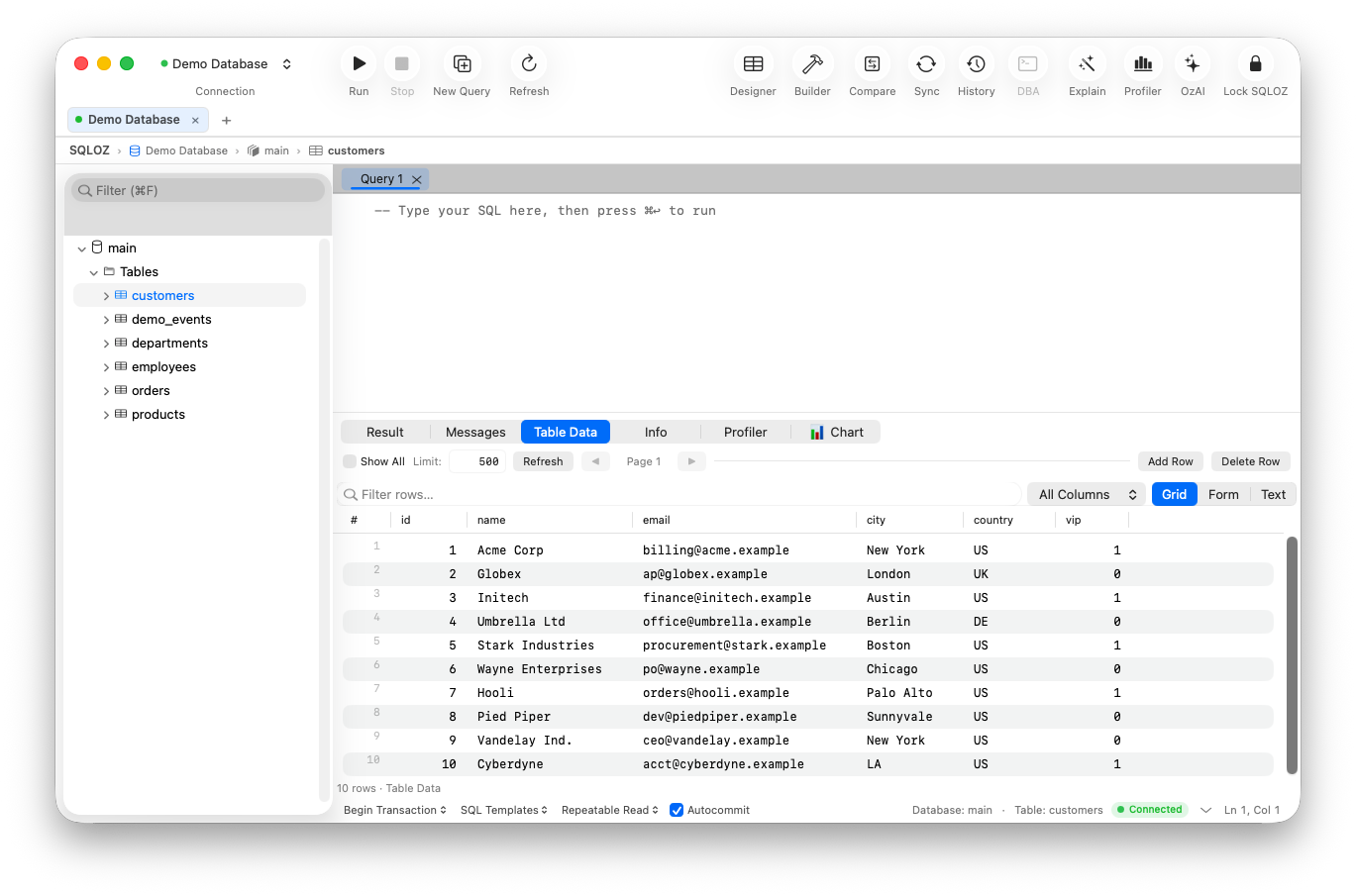
SQLOZ is engineered natively in Swift and Metal specifically for macOS, making it a powerful, lightweight companion for Next.js developers.
1. Instant SQLite Drag-and-Drop
When building prototypes with SQLite, simply drag your prisma/dev.db file directly onto SQLOZ. It opens in less than 100 milliseconds, consumes under 60 MB of RAM, and handles concurrent reads and writes with native WAL mode support.
2. Native Connection to Serverless PostgreSQL (Neon, Supabase, Supabase)
Deploying to production serverless Postgres providers? SQLOZ connects effortlessly to cloud connection poolers (PgBouncer, Supabase direct and pooled connections) with SSL support and encrypted credential storage in the macOS Keychain.
3. Visual Schema Designer vs. schema.prisma
While Prisma uses its proprietary schema definition language, visualizing how complex models interconnect is essential during architectural planning. SQLOZ’s Visual Schema Designer maps all models, foreign keys, and indexes on a fluid 120 FPS infinite canvas.
4. Seamless Migration from Local SQLite to Cloud Postgres
One of the most common challenges for indie hackers and Next.js developers is moving their local prototype from SQLite to cloud PostgreSQL when launching to production.
Instead of writing custom export/import scripts, SQLOZ’s integrated Cross-Dialect Migration Tool streams your local dev.db directly into Supabase or Neon PostgreSQL in one click!
3. Comparing Prisma Studio vs. SQLOZ
| Feature / Capability | Prisma Studio | SQLOZ (macOS Native) |
|---|---|---|
| Architecture | Web app (Node.js + React/Browser) | Pure Native Swift & Metal |
| Launch Speed | ~3.5 seconds (terminal boot) | < 0.4 seconds |
| Memory Footprint | ~900 MB (Node process + Browser tab) | ~60 MB RAM |
| Raw SQL Execution | ❌ No raw SQL support | Full editor with syntax highlighting & auto-complete |
| Performance Profiling | ❌ None | Visual EXPLAIN cost tree (OzExplain) |
| Cross-Dialect Migration | ❌ None | One-click SQLite $\leftrightarrow$ Postgres migration |
| Visual Schema Canvas | ❌ Flat table list only | 120 FPS infinite relational ERD canvas |
4. Recommended Workflow for Next.js & Prisma Projects
To maximize productivity and keep your development machine fast:
- Model Schemas in Prisma: Define models in
prisma/schema.prismaand executenpx prisma migrate dev. - Inspect and Verify in SQLOZ: Keep your local SQLite
dev.dbor remote PostgreSQL branch open in SQLOZ for instant data inspection and query testing. - Profile Complex Server Actions: Before shipping a heavy server action, run the raw SQL through SQLOZ’s OzExplain to ensure proper database indexes are in place.
Summary
While Prisma Studio is convenient for quick checks, scaling a full-stack Next.js application requires a responsive, feature-rich database management client. By pairing Prisma with SQLOZ, developers achieve sub-millisecond inspection speed, deep schema visibility, and effortless cloud migrations.
To learn more about modern database workflows for TypeScript developers, read our guide on Migrating Local SQLite to Supabase PostgreSQL and discover The Best Minimalist SQL Editors for Mac in 2026.