
In an era where developer tools are increasingly cluttered with dozens of toolbars, complex modal dialogues, and notification badges, minimalism has become a superpower.
When you open a database tool to write a query, you want:
- Crisp, beautiful monospaced typography (SF Mono, JetBrains Mono, Fira Code),
- Instant startup with zero visual distractions,
- A clean editor canvas that stays out of your way and lets you focus on your data.
Here are the top 5 minimalist SQL editors on macOS in 2026 ranked for interface cleanliness, speed, and developer ergonomics.
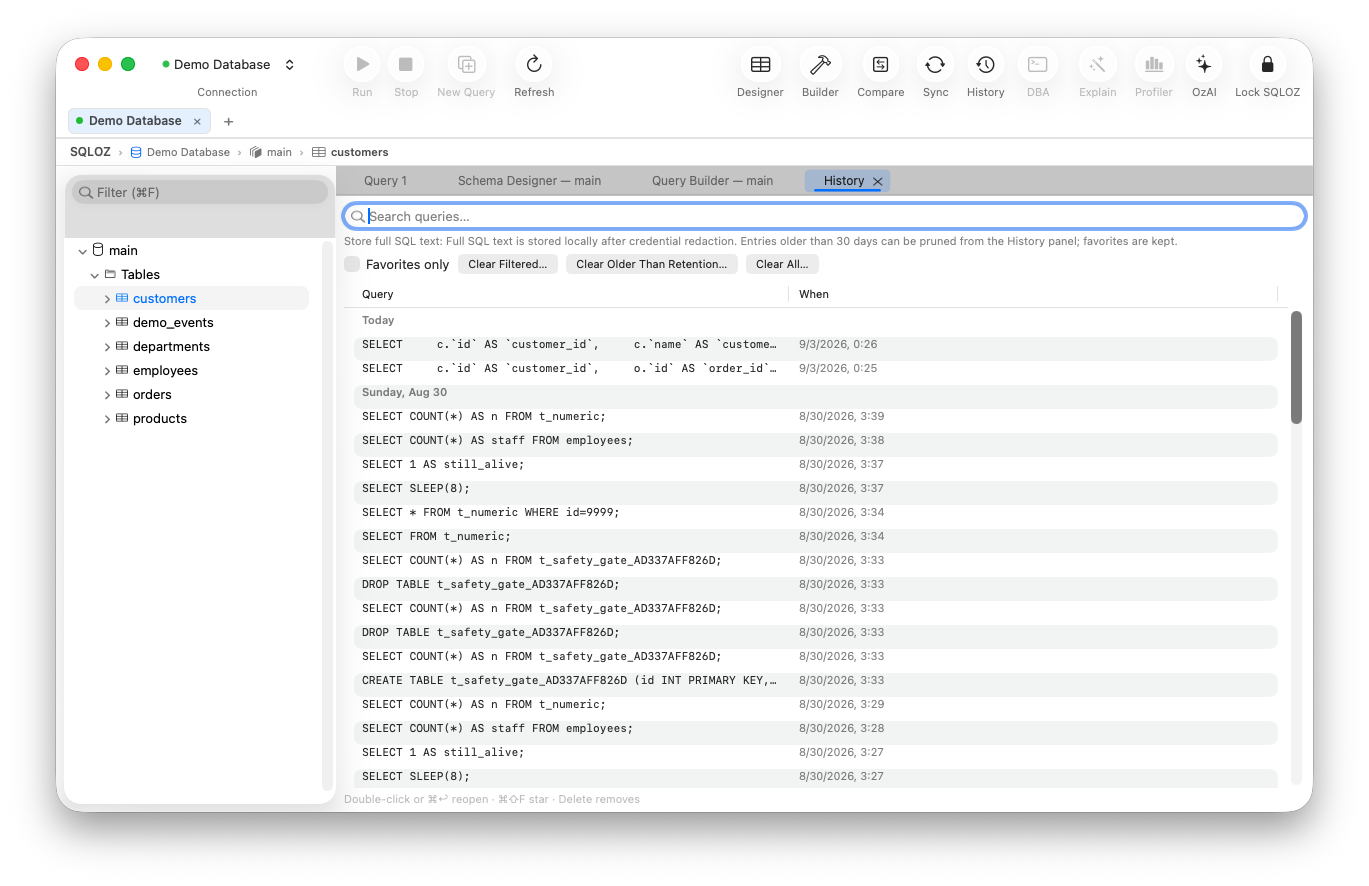
1. SQLOZ: Minimalist Elegance with Hidden Depth
SQLOZ masterfully achieves the balance between visual simplicity and professional engineering depth.
- The Canvas: An uncluttered, edge-to-edge query editor with seamless dark mode contrast, optical line-height balance, and intelligent autocomplete.
- Distraction-Free Mode: Hide sidebars and panels with a single keystroke (⌘B) to turn your workspace into a pure, focused SQL typing environment.
- Under-the-Hood Power: When you need more, you don’t need to switch apps: open the Visual Query Builder for drag-and-drop joins, review execution plans in OzExplain, or inspect table relationships visually.
- Speed: Launches in under 100ms and consumes less than 60MB of RAM.
2. TablePlus
TablePlus set the standard for minimalist tabbed database viewers on the Mac.
- Pros: Clean spreadsheet grid; uncluttered sidebars; inline data editing.
- Cons: The free tier restricts you to 2 open tabs and 2 filters; no visual join builder.
- Verdict: A trusted minimalist viewer for day-to-day web development.
3. Postico 2 (PostgreSQL Only)
Postico 2 is a minimalist masterpiece crafted exclusively for PostgreSQL.
- Pros: Gorgeous macOS-native typography; clean keyboard-centric navigation.
- Cons: Strictly limited to PostgreSQL (no MySQL or SQLite support).
- Verdict: The gold standard for Postgres purists who want pure aesthetic minimalism.
4. Beekeeper Studio
An open-source multi-platform editor with an emphasis on clean design.
- Pros: Polished dark UI; clean tab management; simple connection setup.
- Cons: Built on Electron, meaning higher memory usage than native Swift editors.
- Verdict: Great clean UI, but lacks native Mac performance.
5. Sequel Ace
The community fork of Sequel Pro preserves the classic, functional Mac minimalism of the late 2000s.
- Pros: Free; zero tab paywalls; familiar layout.
- Cons: MySQL only; lacks modern Apple Silicon enhancements.
- Verdict: Functional minimalism for MySQL legacy setups.
Minimalist Editor Comparison Table
| Editor | Native Swift/AppKit | Multi-Engine (MySQL + PG + SQLite) | Unrestricted Tabs | Dark Mode Polish |
|---|---|---|---|---|
| SQLOZ | ✅ Pure Native (Metal) | ✅ Yes | ✅ Unlimited | Curated Slate/Zinc (AAA) |
| TablePlus | ✅ Native Swift | ✅ Yes | ❌ 2 Tabs (Free) | Excellent |
| Postico 2 | ✅ Native Mac | ❌ Postgres Only | Tab limits | Pristine |
| Beekeeper Studio | ❌ Electron | ✅ Yes | ✅ Unlimited | Very Good |
| Sequel Ace | ✅ Objective-C/Swift | ❌ MySQL Only | ✅ Unlimited | Classic |
Summary
You shouldn’t have to wade through dozens of confusing enterprise menus just to run a SELECT query.
With SQLOZ, Mac developers get an uncluttered, distraction-free environment that looks stunning on Retina displays and scales effortlessly to complex DBA tasks.
Download SQLOZ for macOS and experience distraction-free SQL editing today.