
When starting a new Django project, the framework’s default settings automatically initialize a local SQLite database:
# settings.py
DATABASES = {
    'default': {
        'ENGINE': 'django.db.backends.sqlite3',
        'NAME': BASE_DIR / 'db.sqlite3',
    }
}
This default makes it trivial to get started with python manage.py migrate and python manage.py createsuperuser. But once you prepare for production deployment - or when you need PostgreSQL-specific features like ArrayField, JSONField indexing, and full-text search - you must graduate to PostgreSQL.
The classic Django recommendation is using dumpdata and loaddata:
python manage.py dumpdata > datadump.json
# Switch settings.py to postgresql...
python manage.py migrate --run-syncdb
python manage.py loaddata datadump.json
However, anyone who has run this on a real-world project knows the pain: loaddata frequently crashes due to foreign key circular dependencies, contenttypes duplicate key violations, and encoding errors.
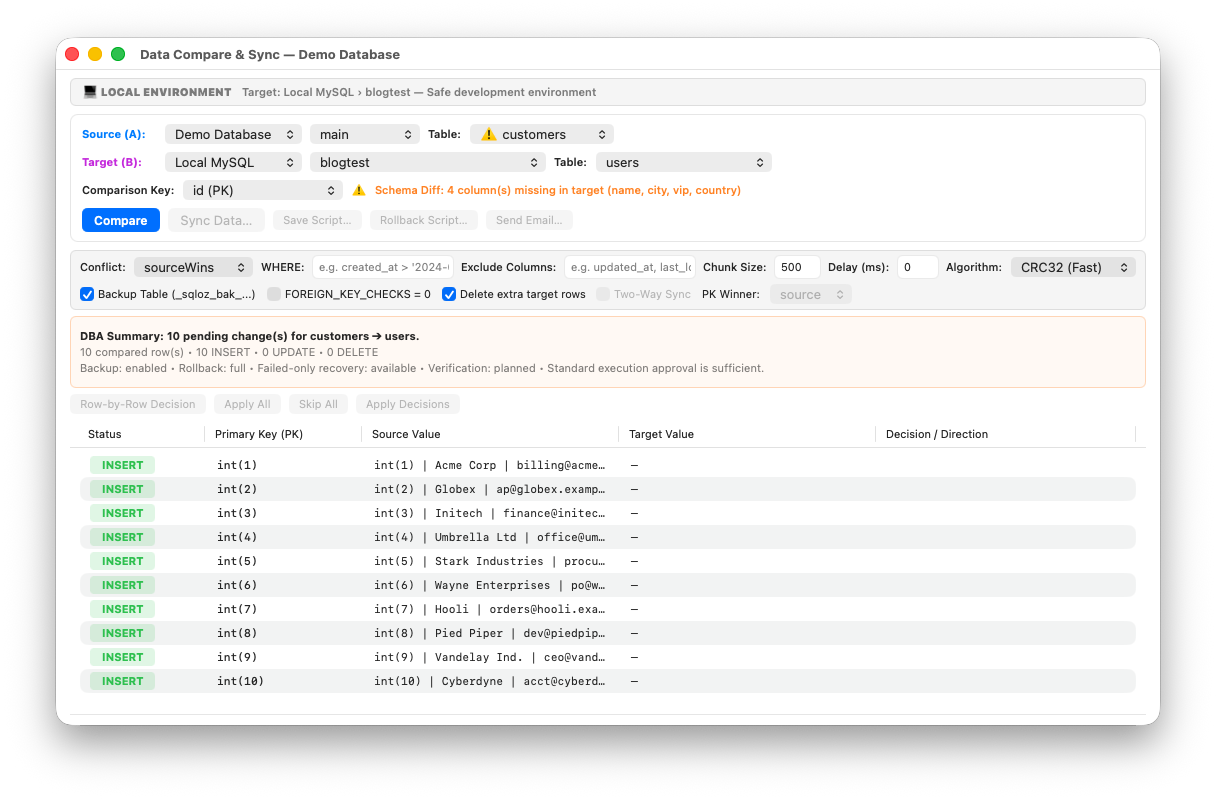
In this tutorial, we show you how to bypass dumpdata errors entirely and migrate your Django SQLite database directly to PostgreSQL using SQLOZ on macOS.
1. Why Django’s loaddata Breaks on Real Projects
When Django’s serialization engine dumps data to JSON:
- ContentType Clashes: Django’s migration engine automatically populates the
django_content_typeandauth_permissiontables duringmigrate. Whenloaddataattempts to re-insert the dumped JSON records, it triggers duplicate primary key collisions. - Foreign Key Integrity: Tables with circular references (e.g., a custom user referencing an organization, while the organization references a creator user) cause
loaddatato abort if records are processed in the wrong sequence.
2. The Native GUI Solution: SQLOZ
Instead of serializing and deserializing large JSON fixtures in Python, SQLOZ performs a direct, binary-level cross-dialect migration between your local db.sqlite3 file and your remote PostgreSQL server.
Step 1: Open Your Django Database in SQLOZ
- Open SQLOZ on your Mac.
- Add a connection to your local file:
my-django-project/db.sqlite3.
Step 2: Connect to Your Target PostgreSQL Database
In the same window, connect to your PostgreSQL server (e.g., AWS RDS, Supabase, or local Homebrew PostgreSQL).
Step 3: Run the Cross-Dialect Migration
- Right-click your SQLite connection and select Migrate to PostgreSQL…
- Choose your target PostgreSQL schema (
public). - SQLOZ automatically:
- Maps Django’s auto-incrementing ID fields to PostgreSQL
IDENTITYcolumns. - Converts integer booleans (
0/1) to true PostgreSQLBOOLEANtypes. - Defers foreign key constraints and imports rows in topological order.
- Aligns all PostgreSQL identity sequences with
setval()toMAX(id).
- Maps Django’s auto-incrementing ID fields to PostgreSQL
Step 4: Update Your Django settings.py
Once the migration completes, update your Django database configuration:
DATABASES = {
    'default': {
        'ENGINE': 'django.db.backends.postgresql',
        'NAME': 'django_production',
        'USER': 'postgres',
        'PASSWORD': 'your_secure_password',
        'HOST': '127.0.0.1', # or cloud host
        'PORT': '5432',
    }
}
Now, run your Django development server or tests:
python manage.py checkAll your models, superusers, auth tokens, and relationships will load seamlessly without a single loaddata error!
Summary
Don’t let Django’s fixture serialization bugs slow down your deployment schedule. With SQLOZ, Python and Django developers on macOS can migrate databases in seconds with complete referential integrity.
Download SQLOZ for macOS and experience stress-free Django database migrations today.