
If you recently switched from Windows to a Mac - or collaborate with a team of Windows developers - you are likely familiar with HeidiSQL. For over fifteen years, HeidiSQL has been the gold standard for free, fast, and reliable MySQL management in the Windows ecosystem.
Naturally, one of the first queries developers type when setting up a new MacBook is:
“Can I run HeidiSQL on Mac?”
The short answer is no: HeidiSQL is written in Delphi and compiled exclusively for the Windows Win32 API. While some developers attempt to run it through Wine or CrossOver, the experience is plagued by broken fonts, missing keyboard shortcuts, display scaling glitches, and frequent crashes.
Fortunately, macOS has fantastic native options. Here are the top 5 HeidiSQL alternatives for Mac in 2026.
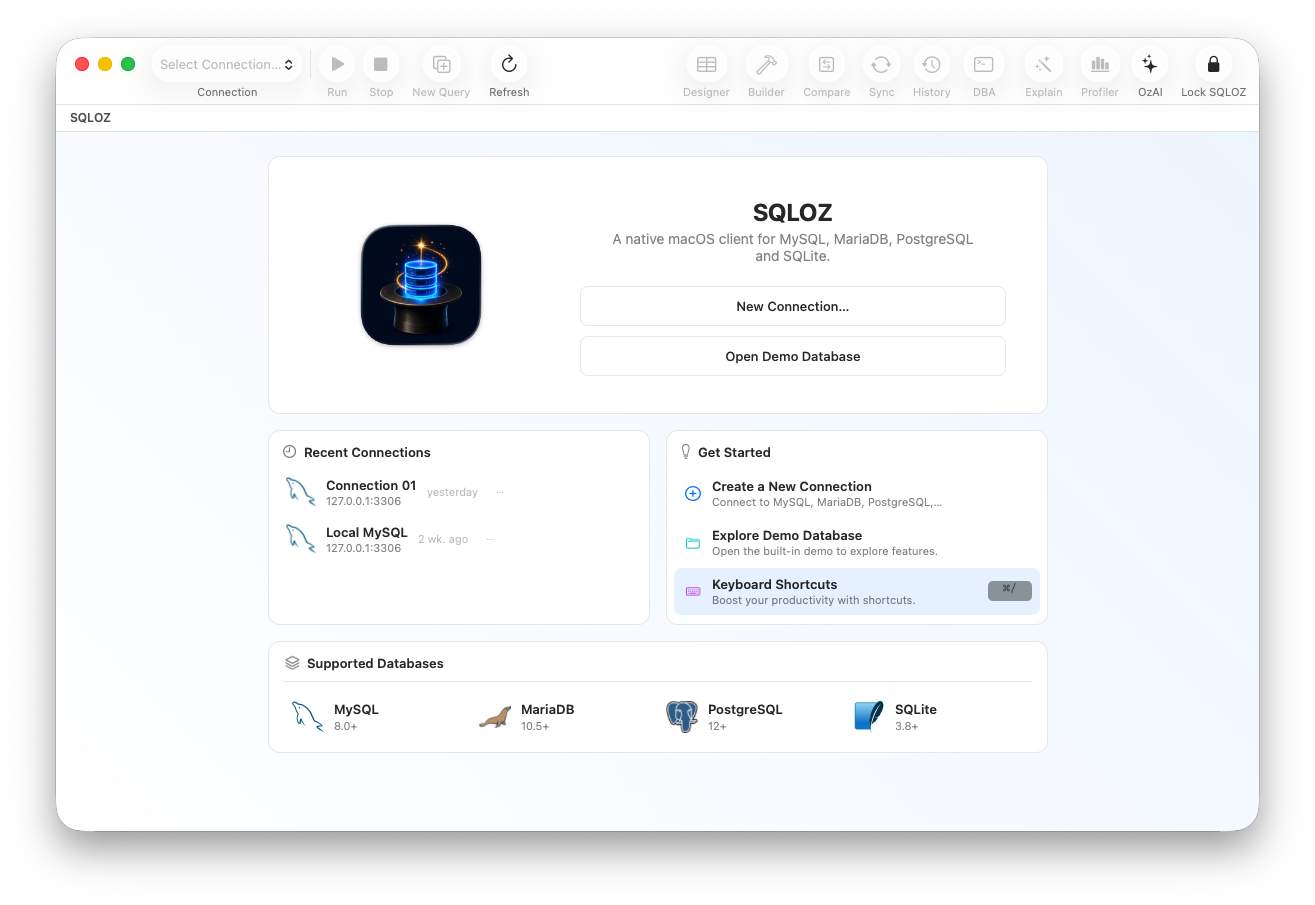
1. SQLOZ: The Ultimate Native Mac Equivalent to HeidiSQL
What made HeidiSQL so beloved on Windows was its blistering speed, low memory footprint, and comprehensive table management tools.
SQLOZ captures that exact same ethos, but re-engineered from the ground up for modern macOS and Apple Silicon:
- Blazing Native Performance: Written in Swift and Metal. Boots in under 100ms and idles at 50MB RAM - just like HeidiSQL on Windows.
- Multi-Engine Power: While HeidiSQL focuses primarily on MySQL and MariaDB, SQLOZ seamlessly connects to MySQL, PostgreSQL, SQLite, and MariaDB.
- Modern Visual Tools: Includes an interactive Visual Query Builder for drag-and-drop joins and a built-in Cross-Dialect Migration Engine.
- Mac-First Security: Integrates directly with the macOS Keychain to store database passwords and SSH keys securely.
2. Sequel Ace (Free Open-Source)
If you loved HeidiSQL because it was 100% free and open source, Sequel Ace is the closest philosophical match for MySQL on Mac.
- Pros: Free; familiar clean layout; active community.
- Cons: MySQL/MariaDB only (cannot connect to PostgreSQL or SQLite).
- Verdict: Great for simple, zero-budget MySQL workflows.
3. TablePlus
TablePlus is widely used by developers transitioning from Windows to macOS who want a clean, minimalist tabbed interface.
- Pros: Native Swift interface; fast inline editing.
- Cons: Strict free-tier limitations (2 open tabs, 2 active filters).
- Verdict: Solid daily viewer if you purchase a license.
4. DBeaver Community
If you need a universal database tool that connects to every engine and runs identically on both Windows and Mac:
- Pros: 100% free; supports virtually any database.
- Cons: Java-based; heavy RAM footprint (1GB+); slower startup.
- Verdict: Good for multi-platform teams, but heavy on macOS.
5. Beekeeper Studio
An open-source multi-engine client with a modern dark mode interface.
- Pros: Cross-platform; simple interface.
- Cons: Built on Electron; higher resource usage than native Cocoa apps.
- Verdict: A friendly GUI for casual queries.
Direct Comparison: HeidiSQL vs. SQLOZ
| Feature | HeidiSQL (Windows) | SQLOZ (macOS Native) |
|---|---|---|
| Operating System | Windows Only (Win32) | macOS Native (Swift/Metal) |
| Startup Speed | Instant (< 200 ms) | Instant (< 100 ms) |
| RAM Footprint | ~35 MB | 45 MB – 75 MB |
| Supported Engines | MySQL, MariaDB, MSSQL, PG | MySQL, PostgreSQL, SQLite, MariaDB |
| Visual Query Builder | Basic | 120 FPS Infinite Canvas |
| Credential Security | Windows Registry | Hardware macOS Keychain Vault |
Summary
You don’t need to struggle with Wine emulators or settle for sluggish Java apps just to get a HeidiSQL-like experience on your Mac.
With SQLOZ, you get the instant speed and practicality of HeidiSQL wrapped in a stunning, modern application tailored for Apple Silicon.
Download SQLOZ for macOS and feel right at home on your Mac today.