
Every backend engineer, DBA, and customer support specialist encounters this scenario: an alert flags a rogue transaction hash, or a customer submits a GDPR privacy request with an obscure UUID, but you have no prior knowledge of which specific table, column, or foreign key hierarchy holds the reference.
Unlike single-table querying, MySQL does not provide a native SELECT * FROM ALL_TABLES WHERE ... command. Searching an entire database with dozens or hundreds of tables traditionally requires complex stored procedures or awkward bash shell loops.
In this guide, we walk through command-line routines for full-database scanning, examine their performance impact on production servers, and show how to run instant, multi-table string searches using native macOS database tooling.
Method 1: The Shell Pipeline with mysqldump (Offline / Small Schemas)
When working locally or on non-production development databases with small footprints (under 500 MB), pipe mysqldump directly into grep:
# Dump the schema content and search text patterns via ripgrep
mysqldump -u root -p --no-create-info --skip-triggers my_database \
  | rg -i "acct_8f9024a1b" -C 2
Limitations of the mysqldump Approach:
- Memory & I/O Spikes: On production instances, streaming entire tables can exhaust server RAM buffers and lock active threads.
- Loss of Granular Metadata: While
grepidentifies that the string exists, it outputs rawINSERT INTOtuples, making it difficult to pinpoint the exact table name, column header, and primary key without manual parsing. - No Interactive Navigation: You cannot click into the row, edit the record, or trace adjacent relational foreign keys.
Method 2: Dynamic SQL via Stored Procedure or Information Schema
To execute the search directly inside the MySQL server engine without streaming data across the network, you can generate dynamic queries iterating over information_schema.COLUMNS:
DELIMITER //

CREATE PROCEDURE SearchDatabase(IN search_term VARCHAR(255))
BEGIN
    DECLARE done INT DEFAULT FALSE;
    DECLARE tbl_name VARCHAR(128);
    DECLARE col_name VARCHAR(128);
    DECLARE sql_stmt TEXT;

    -- Cursor iterating through text and varchar columns
    DECLARE cur CURSOR FOR
        SELECT TABLE_NAME, COLUMN_NAME
        FROM information_schema.COLUMNS
        WHERE TABLE_SCHEMA = DATABASE()
          AND DATA_TYPE IN ('varchar', 'text', 'char', 'mediumtext', 'longtext');

    DECLARE CONTINUE HANDLER FOR NOT FOUND SET done = TRUE;

    OPEN cur;

    read_loop: LOOP
        FETCH cur INTO tbl_name, col_name;
        IF done THEN
            LEAVE read_loop;
        END IF;

        SET @query = CONCAT('SELECT "', tbl_name, '" AS table_name, "', col_name, '" AS column_name, COUNT(*) AS matches FROM `', tbl_name, '` WHERE `', col_name, '` LIKE "%', search_term, '%"');

        PREPARE stmt FROM @query;
        EXECUTE stmt;
        DEALLOCATE PREPARE stmt;
    END LOOP;

    CLOSE cur;
END //

DELIMITER ;
Then invoke the procedure:
CALL SearchDatabase('user@example.com');[!WARNING] Running dynamic cursor queries with wildcard
LIKE "%term%"performs full table scans across every single indexed and non-indexed text column in the entire schema. Never execute this procedure on high-traffic production primaries during peak hours.
Method 3: Instant Multi-Table Search in SQLOZ (macOS Native)
For macOS developers seeking rapid visual insights without executing ad-hoc server-side scripts, SQLOZ includes a dedicated Global Database Search engine built natively in Swift.
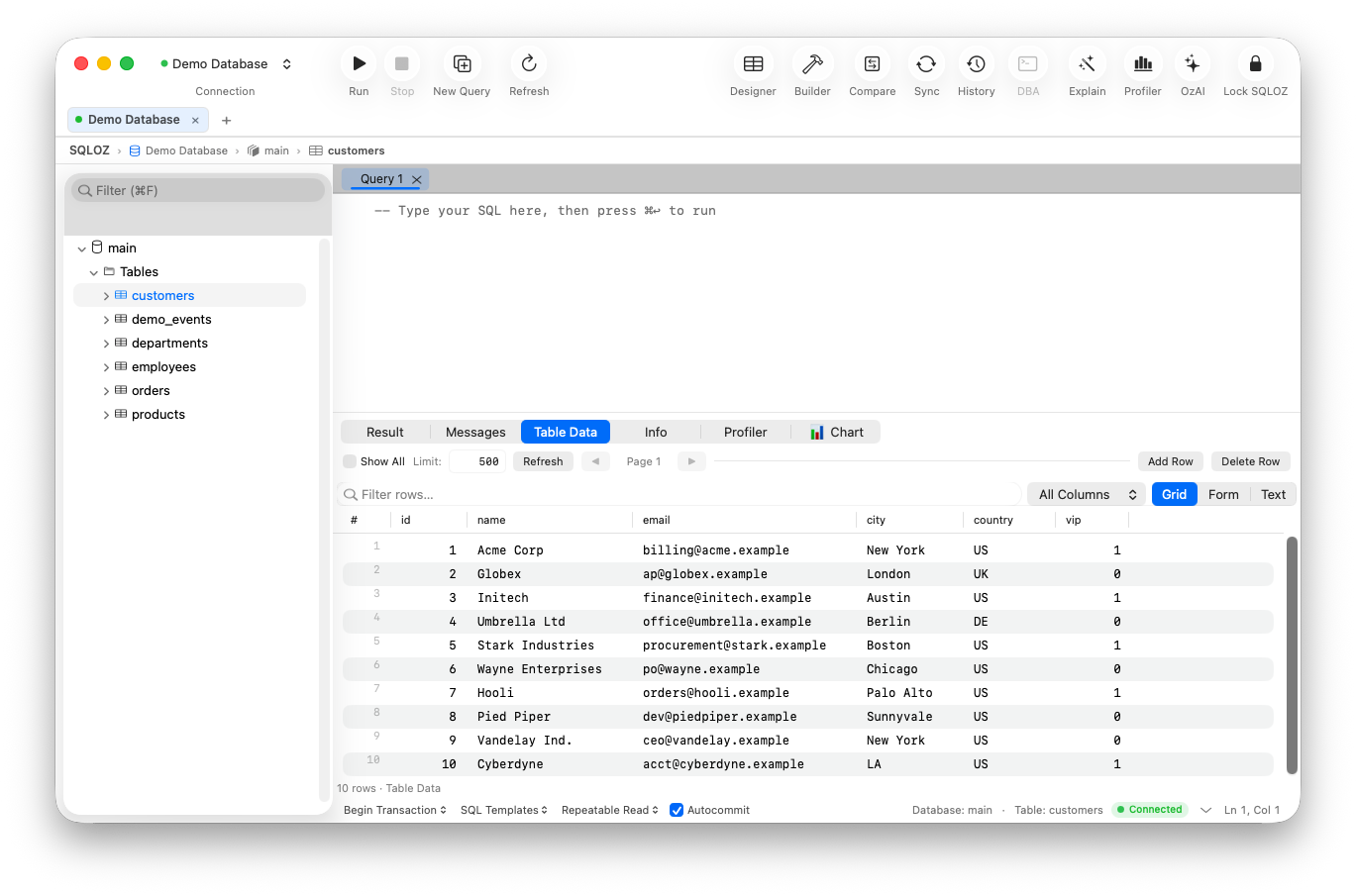
How SQLOZ Global Search Works:
- Targeted Schema Scope: Press
⌘⇧Finside any active MySQL or PostgreSQL connection. Select the target database or restrict the search to specific table prefixes (e.g.,orders_*,billing_*). - Smart Type Matching: SQLOZ filters
information_schemametadata on client startup. When you enter a UUID, number, or email address, SQLOZ automatically restricts queries to compatible column types (UUID,VARCHAR,TEXT,INT), bypassing irrelevant BLOB and geometry fields. - Chunked Asynchronous Scanning: Rather than hogging a single database connection thread, SQLOZ issues lightweight, paginated worker queries with server-safe execution timeouts.
- Interactive Result Browser: Matches are grouped by table name and primary key. Clicking any search result opens the record directly in the interactive Table Data Grid, allowing you to inspect foreign key links or make live edits immediately.
Performance Best Practices When Scanning Schemas
If you must run broad text searches across extensive production databases, apply these guidelines to protect database stability:
| Strategy | Implementation | Why It Matters |
|---|---|---|
| Use Read Replicas | Target AWS RDS or DigitalOcean Read Replicas | Eliminates CPU contention on the primary read/write node. |
| Apply FULLTEXT Indexes | ALTER TABLE tbl ADD FULLTEXT(col); | Replaces $O(N)$ full table scans with sub-second inverted index lookups. |
| Limit Scope by Date/Status | Filter by created_at >= '2026-01-01' | Drastically shrinks the working dataset in large time-series tables. |
| Set Statement Timeouts | SET max_execution_time = 2000; | Ensures runaway queries abort automatically if they hit unexpected I/O contention. |
Summary
Locating stranded records across a complex MySQL database doesn’t have to mean writing fragile shell pipelines or risking full table locks on production. By understanding the query patterns of information_schema or using native search tools like SQLOZ, you can identify data anomalies in seconds.
To learn more about analyzing complex table structures, check out our guide on Understanding SQL Table Relationships & Foreign Keys and explore our walkthrough on Inspecting Large Tables Without Writing SQL.