
In relational databases like MySQL and PostgreSQL, clearing data or removing schema structures can be accomplished through three primary SQL commands: DELETE, TRUNCATE, and DROP.
While all three can leave you with an empty or non-existent table, their architectural implications - from transaction logging and lock escalation to auto-increment resetting and disk space deallocation - are fundamentally different. Executing the wrong command on a production primary can result in irreversible data loss or unrecoverable lock contention.
In this deep dive, we compare the inner mechanics of DELETE, TRUNCATE, and DROP, explore their engine-level behaviors, and examine how modern macOS database GUIs safeguard critical workloads.
Architectural Comparison: DELETE vs. TRUNCATE vs. DROP
| Feature / Behavior | DELETE FROM tbl; | TRUNCATE TABLE tbl; | DROP TABLE tbl; |
|---|---|---|---|
| SQL Category | DML (Data Manipulation) | DDL (Data Definition) | DDL (Data Definition) |
| Granularity | Row-by-row (Supports WHERE filter) | Whole table only | Entire table structure + metadata |
| Rollback Support (Transactions) | Fully Rollbackable (InnoDB / Postgres MVCC) | Rollbackable in PostgreSQL; Auto-commits in MySQL | Rollbackable in PostgreSQL; Auto-commits in MySQL |
| Auto-Increment Counter | Retains current sequence value | Resets sequence to 1 | Table deleted; counter destroyed |
| Triggers | Fires ON DELETE row triggers | Does NOT fire row triggers | Does NOT fire row triggers |
| Disk Space Reclamation | Space often retained in table tablespace until OPTIMIZE TABLE | Instantly drops and recreates storage pages | Instantly frees tablespace file (.ibd in MySQL) |
| Lock Level Acquired | Row locks or Gap locks | Table-level Metadata Lock (MDL_EXCLUSIVE) | Exclusive Table & Schema Lock |
| Speed / Performance | Slow for large datasets ($O(N)$ row logging) | Extremely fast ($O(1)$ page deallocation) | Instantaneous ($O(1)$) |
1. Deep Dive: The DELETE Statement
DELETE operates at the row level via the storage engine’s transaction system:
DELETE FROM audit_logs
WHERE created_at < NOW() - INTERVAL 90 DAY;
Key Mechanical Traits:
- Undo / Redo Logging: In MySQL InnoDB, each deleted row writes an undo log record so the transaction can be rolled back if needed. Deleting 10 million rows generates gigabytes of undo logs and can stall replication replicas.
- Fragmentation:
DELETEmarks page slots as deleted rather than shrinking the physical.ibdfile on disk. The space remains allocated to the table for future inserts. - Foreign Key Enforcement: If child tables reference the deleted records, foreign keys cascade or restrict according to the schema rules.
2. Deep Dive: The TRUNCATE Statement
TRUNCATE TABLE is semantically equivalent to dropping the table and immediately recreating an empty clone with identical column definitions and indexes:
TRUNCATE TABLE session_tokens;Critical Gotchas:
- Implicit Commit in MySQL: In MySQL, any DDL statement - including
TRUNCATE- triggers an implicitCOMMITof the current transaction. If you runTRUNCATEinside aSTART TRANSACTIONblock, you cannot executeROLLBACK. - PostgreSQL Rollback Capability: Unlike MySQL, PostgreSQL handles DDL transactionally. You can safely execute
TRUNCATEwithinBEGIN ... ROLLBACK;. - Foreign Key Blockers: In MySQL,
TRUNCATEwill fail with an error if foreign keys from another table reference the target, even if the child table is empty.
3. Deep Dive: The DROP Statement
DROP TABLE deletes both the stored data and the entire schema catalog definition from the database:
DROP TABLE legacy_user_profiles;Once dropped, the table definition, indexes, constraints, triggers, and physical tablespace files are eradicated from disk. Any application queries referencing the dropped table will immediately fail with Table doesn't exist errors.
The Danger of Terminal Slips & Production Fatigue
On the command line, one typo can lead to disaster:
# Intended:
DELETE FROM users WHERE id = 120;

# Accidental slip (missing WHERE clause):
DELETE FROM users;
Because shell terminals execute commands the instant you press Return, there is zero buffer to catch missing predicates or cross-database connection mistakes.
How SQLOZ Protects You Against Accidental Destruction
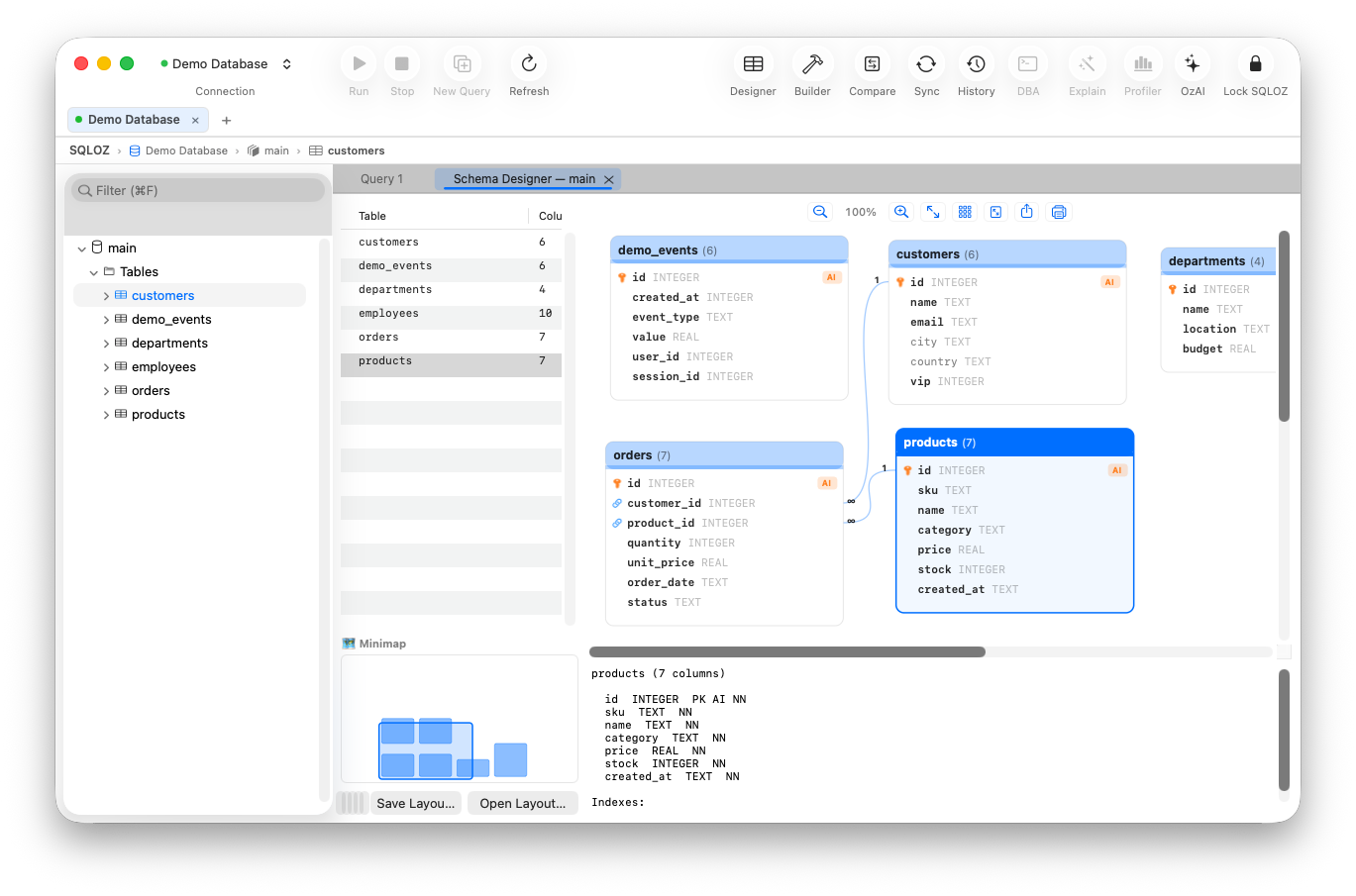
Rather than relying on human vigilance during late-night debugging sessions, SQLOZ enforces multi-layered UI guardrails built natively for macOS.
1. The Autonomous Safety Gate
Whenever an unconstrained DELETE or UPDATE statement is detected without an explicit WHERE clause, SQLOZ intercepts the query at the AST (Abstract Syntax Tree) layer before sending bytes over the socket. An alert modal requires intentional confirmation with exact impact metrics.
2. DDL Two-Key Confirmation for Production Environments
SQLOZ allows you to assign visual color badges (e.g., bright Red for Production, Amber for Staging, Green for Development). When connected to a tagged Production server:
- Executing
TRUNCATEorDROP TABLEprompts a verification dialog requiring you to type the table name explicitly. - The dialog displays active connections, current transaction counts, and whether child foreign keys will be impacted.
3. Visual Row Deletion with Draft Diffing
Inside the SQLOZ Table Data Grid, deleting rows does not immediately execute SQL. Selected rows are highlighted in red as a pending staging diff. You can review the exact generated SQL batch, undo individual deletions, and commit all changes in a single atomic transaction.
Summary: When to Use Which Command
- Use
DELETEwhen removing specific subsets of rows matching a criteria where row-level triggers or transactional rollback are required. - Use
TRUNCATEwhen clearing out ephemeral scratch tables, temporary caches, or log tables where you want instant speed and a fresh auto-increment baseline. - Use
DROPwhen deprecating obsolete tables during schema refactoring.
For more guidelines on safeguarding production workloads, read our in-depth tutorial on How to Safely Run UPDATE and DELETE Queries Without Crashing Production and explore our guide on Handling Schema Migrations with Zero Downtime.