
Ruby on Rails and PostgreSQL are one of the most battle-tested pairings in modern web development. Powering industry giants from GitHub and Shopify to thousands of high-growth SaaS startups, Rails and Postgres provide unmatched product velocity and relational integrity.
Through ActiveRecord, Rails developers manage database schemas via declarative Ruby migrations. However, as applications scale and embrace advanced PostgreSQL features - such as jsonb indexing, partial indexes, generated columns, and stored procedures - relying solely on db/schema.rb or terminal psql prompts becomes cumbersome.
In this guide, we explore best practices for managing PostgreSQL databases in Ruby on Rails on macOS and demonstrate how native GUI clients enhance ActiveRecord workflows.
1. The Rails Schema Dilemma: schema.rb vs. structure.sql
By default, Rails dumps database structure into db/schema.rb using a Ruby DSL:
# config/application.rb
config.active_record.schema_format = :ruby # default
The Problem with :ruby Format:
ActiveRecord’s Ruby DSL cannot represent advanced PostgreSQL-specific features:
- Partial unique indexes (e.g.,
WHERE deleted_at IS NULL) - GIN and GiST indexes on
jsonbor array columns - Table partitioning
- Custom database triggers and stored functions
The Solution: Switch to :sql Format
config.active_record.schema_format = :sqlThis instructs Rails to use pg_dump to generate db/structure.sql, preserving 100% of PostgreSQL’s native catalog features and constraints.
2. Inspecting ActiveRecord Queries and N+1 Gotchas
ActiveRecord makes composing queries straightforward, but careless loops can easily saturate your PostgreSQL connection pool:
# Triggers N+1 queries in Rails
@users = User.limit(50)
@users.each do |user|
  puts user.profile.bio # Queries the profiles table 50 separate times!
end

# The Fix: Eager loading with includes
@users = User.includes(:profile).limit(50)
To view the raw SQL generated by ActiveRecord during local development, monitor your Rails log (tail -f log/development.log) or inspect execution plans in a native Mac database client.
3. Managing Rails PostgreSQL with SQLOZ (macOS Native)
While bin/rails dbconsole provides immediate terminal access, visualizing complex relations and managing cloud databases on Apple Silicon is far more efficient with SQLOZ.
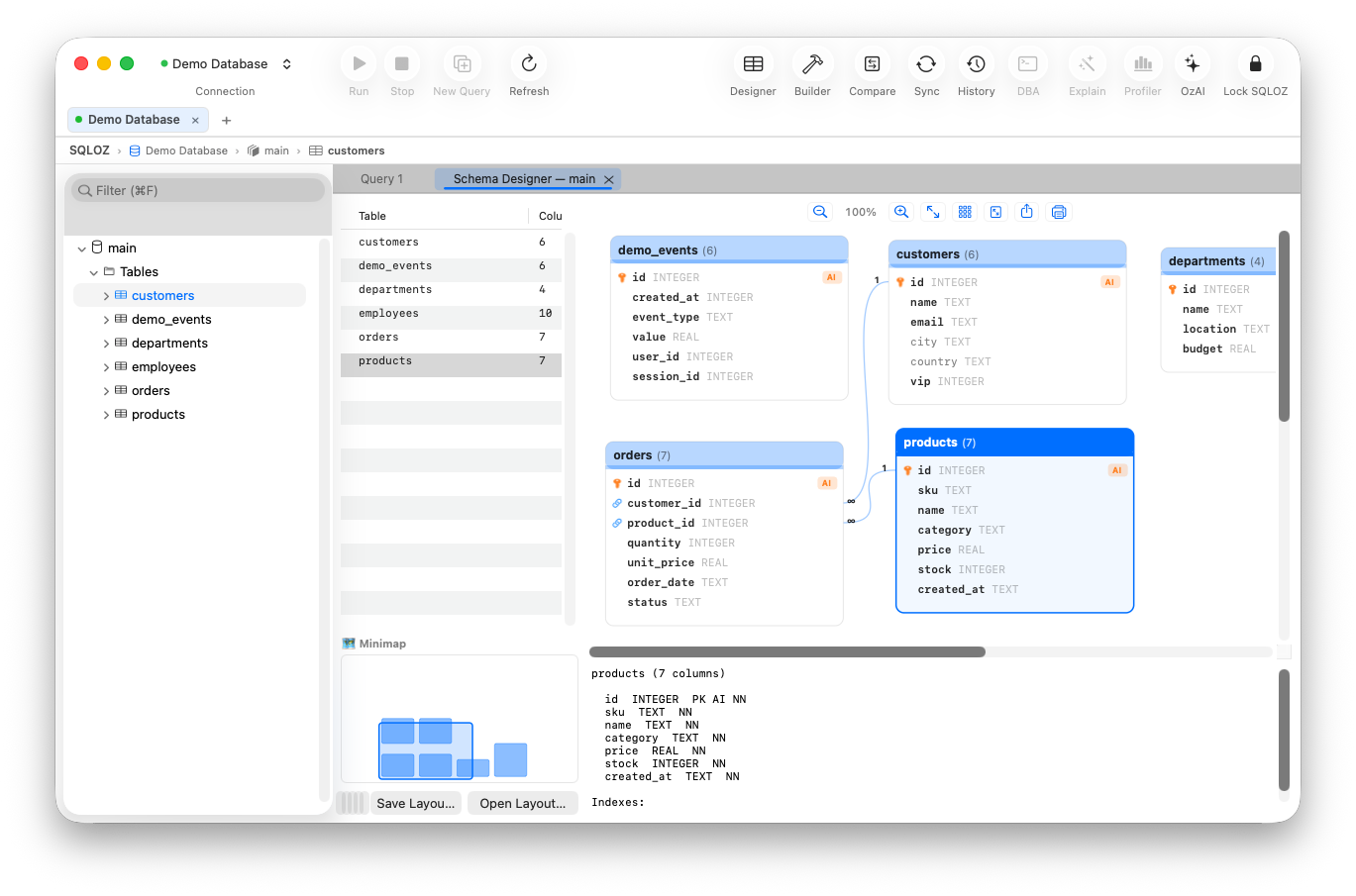
Key SQLOZ Features for Rails Developers:
- Interactive Entity Relationship Canvas: Rails schemas often contain dozens of models linked via polymorphic associations and join tables. The Visual Schema Designer maps your entire schema automatically, providing a visual architecture diagram of your application.
- Native JSONB Tree Inspector: Modern Rails apps frequently utilize PostgreSQL
jsonbfor dynamic preferences and audit payloads. SQLOZ provides an interactive, expandable tree editor to inspect and edit nested JSON payloads without syntax errors. - Hardware-Backed SSH Bastions: Easily connect to your production Rails PostgreSQL database hosted on Render, Heroku, AWS RDS, or Hatchbox through secure SSH tunnels stored in the macOS Keychain.
- Safety Gate for Destructive Rails Tasks: Prevent disastrous mistakes during production data patches. If you attempt an unconstrained
UPDATEorDELETE, SQLOZ’s Safety Gate halts execution and requires explicit confirmation.
4. Resetting and Seeding Rails Databases Safely
When resetting local development data:
# Drops, recreates, runs migrations, and seeds the database
bin/rails db:reset
If a migration fails halfway due to a syntax bug or out-of-sync PostgreSQL sequence, you can open SQLOZ, view the active table states in the Table Data Grid, reset sequence counters with a single click, and resume development without wiping your database.
Summary
Rails and PostgreSQL offer an exceptional combination of developer speed and enterprise reliability. By pairing ActiveRecord with a native Swift database client like SQLOZ, you gain complete visibility into your schema, eliminate N+1 bottlenecks, and manage production databases with total confidence.
To explore more about managing PostgreSQL schemas on macOS, read our tutorial on Setting Up Auto-Increment Primary Keys in SQLite and PostgreSQL and learn How to Connect to Remote Databases via SSH Tunnels on macOS.