
SQLite is the most widely deployed database engine in human history. It lives inside your iPhone apps, powers the macOS Core Data and Photos catalogs, and serves as the local development database for modern full-stack web frameworks.
Because SQLite data resides inside a single file on your Mac filesystem (.sqlite, .db, or .sqlite3), opening and inspecting that data requires a reliable GUI viewer.
In 2026, the market for Mac SQLite tools is divided into two categories:
- Native macOS Clients: Ultra-fast, lightweight, and hardware-accelerated.
- Web-Based & Electron Viewers: Browser-based or Node-wrapped tools that trade performance for cross-platform portability.
Here is an objective review of the best SQLite viewers for macOS in 2026.
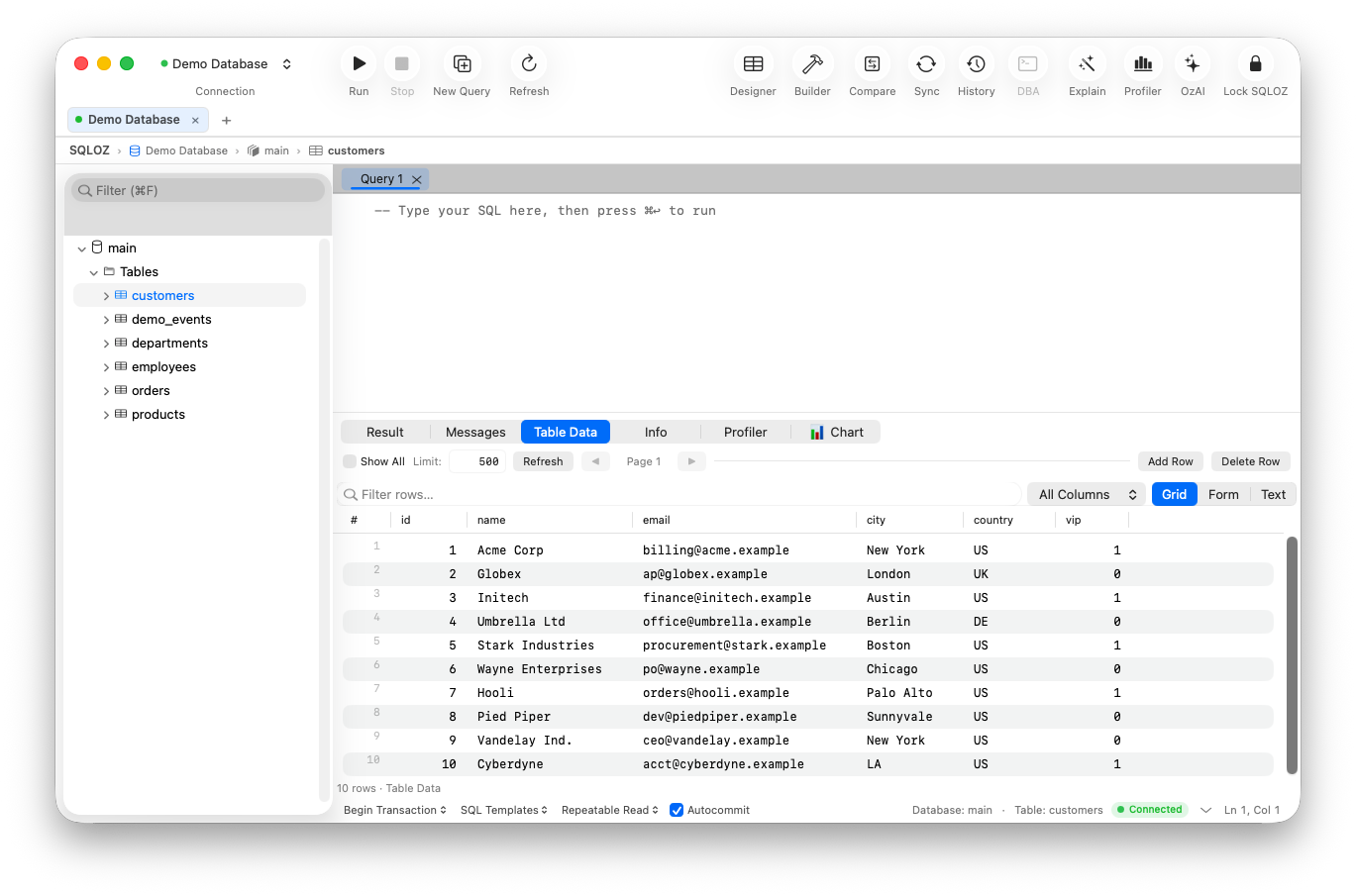
1. SQLOZ: The Benchmark for Apple Silicon SQLite Management
SQLOZ treats SQLite files as first-class citizens. You simply drag any .db or .sqlite file directly into the application window, and it mounts instantaneously without configuration.
Why SQLOZ Leads for SQLite on Mac:
- Metal-Accelerated Data Grid: Scroll through multi-million-row SQLite files at a smooth 120 FPS on Liquid Retina displays.
- Inline Data Editing & Filter Pills: Search, filter, and modify cells with visual diff staging - no SQL typing required.
- Instant Cross-Dialect Migration: Need to graduate your SQLite prototype to PostgreSQL or MySQL? SQLOZ converts schemas and streams data in one click.
- Zero Bloat: Idles at just 45MB–65MB of RAM with cold launch times under 100ms.
2. DB Browser for SQLite (The Open-Source Classic)
DB Browser for SQLite (sqlitebrowser) has been a trusted open-source tool for over a decade.
- Pros: 100% free and open-source; comprehensive support for SQLite pragmas and indexes.
- Cons: Built with Qt. The UI looks dated and out-of-place on modern macOS; struggles when opening SQLite databases larger than 2GB.
- Verdict: Reliable for quick checks, but feels like software from 2012.
3. TablePlus
TablePlus provides a modern, clean spreadsheet interface for viewing SQLite databases.
- Pros: Native Swift interface; clean cell editing.
- Cons: The free tier restricts you to 2 open tabs and 2 active filters; lacks visual ERD schema design and automated cross-database migration.
- Verdict: Great for simple viewing if you already own a commercial license.
4. SQLite Viewer Web Tools & VS Code Extensions
Extensions like “SQLite Viewer” for VS Code allow you to preview tables directly inside your editor.
- Pros: Convenient if you never want to leave VS Code.
- Cons: Webview architecture chokes on tables with more than 10,000 rows; limited query editor; high memory usage within VS Code renderer threads.
- Verdict: Fine for tiny test mocks, inadequate for production data inspection.
Direct Comparison Table
| Tool | Architecture | Launch Time | Handles >1M Rows | 1-Click Cloud Migration | Price |
|---|---|---|---|---|---|
| SQLOZ | Native Swift & Metal | < 100 ms | ✅ 120 FPS Smooth | ✅ (To Postgres / MySQL) | Affordable / Free Eval |
| TablePlus | Native Swift | ~150 ms | ✅ Smooth | ❌ None | $89 (Strict Free Tier) |
| DB Browser | C++ / Qt | ~1.2 s | ⚠️ Sluggish | ❌ None | Free Open Source |
| VS Code Ext | Electron / Webview | ~2.5 s | ❌ Freezes | ❌ None | Free |
Summary
Don’t let clunky web wrappers or outdated Qt ports slow down your local development.
With SQLOZ, Mac developers get a blazing-fast, beautiful, and native SQLite viewer designed specifically for Apple Silicon hardware.
Download SQLOZ for macOS and experience instant SQLite browsing today.