
As a solo developer, indie hacker, or technical founder, your time and mental bandwidth are your most valuable resources. You don’t have a dedicated DBA team to manage database migrations, tune sluggish indexes, or diagnose server deadlocks.
You wear all the hats: backend engineer, frontend designer, DevOps architect, and data analyst.
To ship fast, your local database tooling must be:
- Multi-Engine: Seamlessly handle local SQLite prototypes, production PostgreSQL (on Supabase/RDS), and legacy MySQL side projects.
- Blazing Fast: Launch in milliseconds without draining your MacBook’s battery at a coffee shop.
- No-Code Accessible: Let you construct complex analytical queries, cohort reports, and joins visually when you don’t want to write boilerplate SQL.
Here are the top macOS database GUIs for solo developers and indie hackers in 2026.
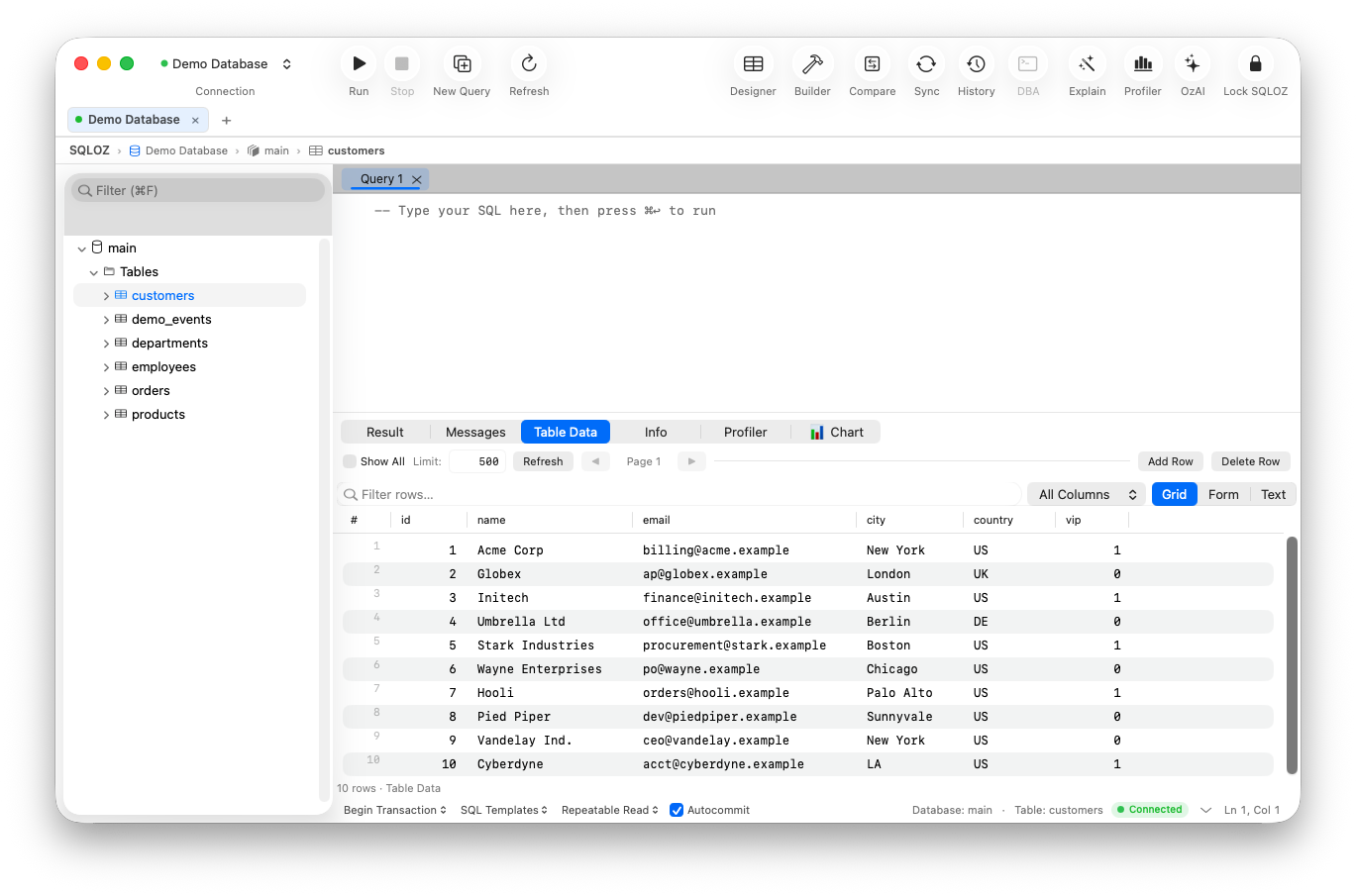
1. SQLOZ: The All-In-One Native Command Center
SQLOZ was engineered specifically to give solo creators the full power of an enterprise DBA suite wrapped in an elegant, featherlight native macOS interface.
Why Indie Hackers Love SQLOZ:
- Multi-Engine Fluidity: Connect to SQLite, PostgreSQL, MySQL, and MariaDB from a single window.
- Instant Prototype-to-Production Migration: Build your MVP locally on SQLite, then migrate to production PostgreSQL or Supabase in one click without touching Python scripts.
- Visual Query Builder: Need to pull monthly churn rates, MRR cohorts, or multi-table joins for an investor update? Build queries visually on an infinite canvas with live SARGable SQL preview.
- Safety First: Built-in Safety Gates prevent you from accidentally wiping production tables with unindexed
UPDATEorDELETEstatements when sleep-deprived. - Battery-Friendly: Consumes under 60MB RAM and supports macOS App Nap.
2. TablePlus
TablePlus is a popular choice in the indie hacker community for its minimalist tabbed layout.
- Pros: Clean native UI; fast inline data editing; supports Redis.
- Cons: Free tier restricts you to 2 open tabs and 2 active filters; lacks visual query building and automated cross-database migration.
- Verdict: Great for simple viewing if you are willing to pay the $89 license fee.
3. Sequel Ace (For MySQL-Only Indie Stacks)
If your entire SaaS runs on a simple MySQL VPS, Sequel Ace provides a free community option.
- Pros: 100% free; unlimited tabs.
- Cons: No PostgreSQL support; occasional crashes under high load.
- Verdict: Solid for single-database MySQL projects.
What Solo Developers Need in a Database Tool
| Capability Needed | SQLOZ (Native Mac) | TablePlus | DBeaver | Sequel Ace |
|---|---|---|---|---|
| All-in-One Multi-Engine | ✅ Yes (MySQL, PG, SQLite) | ✅ Yes | ✅ Yes | ❌ MySQL Only |
| Visual Query / JOIN Builder | ✅ Built-in 120 FPS | ❌ None | ⚠️ Dated Tree | ❌ None |
| Cross-Dialect Migration | ✅ 1-Click Engine | ❌ None | ⚠️ Complex | ❌ None |
| RAM Footprint | ~50 MB | ~90 MB | ~1,200 MB | ~110 MB |
| Tab / Workspace Limits | Unlimited | 2 Tabs (Free) | Unlimited | Unlimited |
Summary
As a solo developer, you can’t afford tools that crash, throttle your laptop, or slow down your shipping cadence.
Equip yourself with a modern, native macOS database client that works as fast as you do.
Download SQLOZ for macOS and supercharge your indie shipping workflow today.