
Choosing the right database GUI for your Mac can make or break your engineering productivity. Whether you are managing complex PostgreSQL microservices, running ad-hoc MySQL migrations, or querying local SQLite test fixtures, your database client is a core daily tool.
The Mac database landscape is currently dominated by three distinct paradigms:
- TablePlus: The popular minimalist, tab-based native utility.
- DBeaver: The veteran cross-platform Java powerhouse.
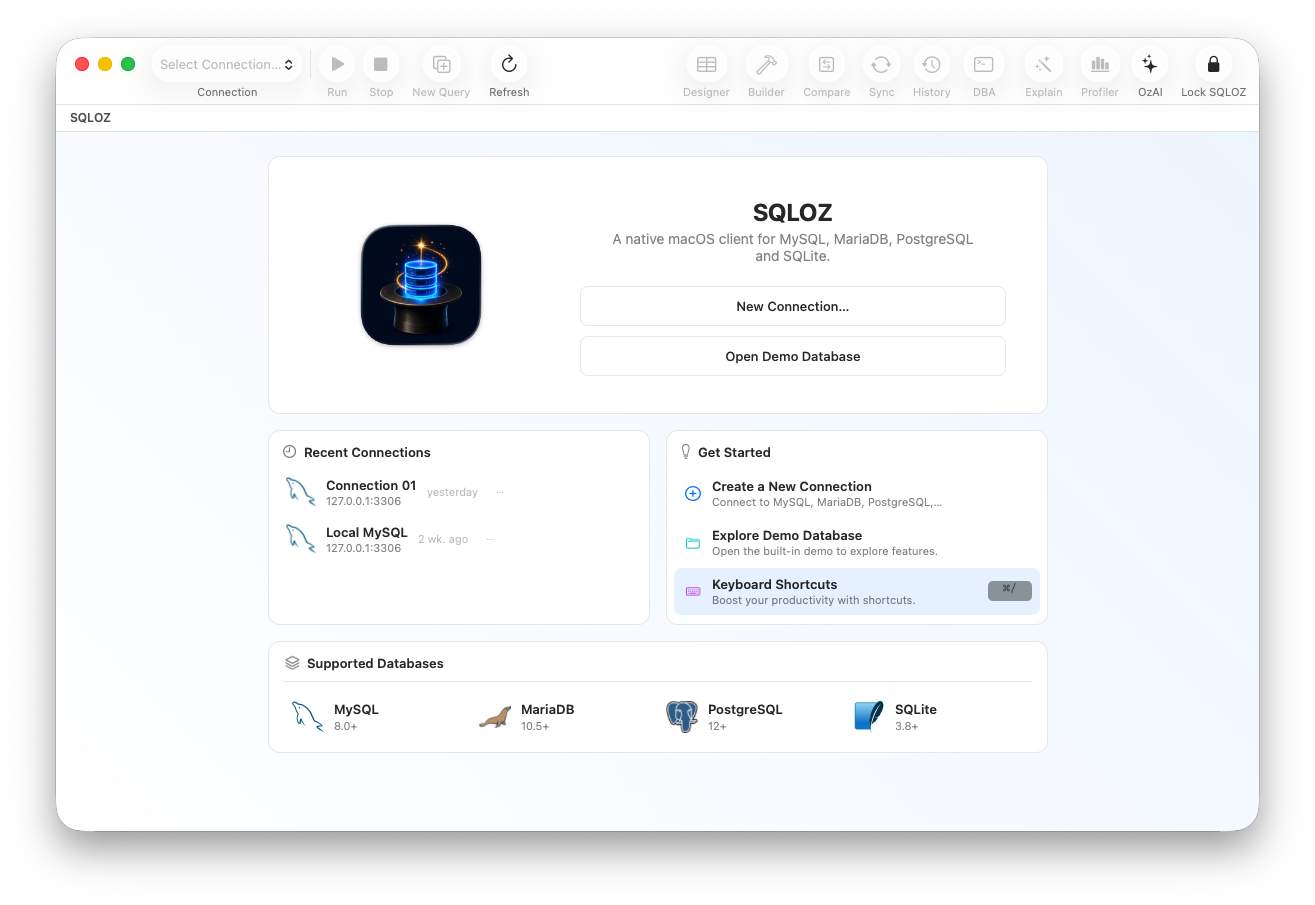
- SQLOZ: The modern, all-in-one native macOS client designed for speed, deep DBA tooling, and visual query building.
In this head-to-head architectural comparison, we pit TablePlus, DBeaver, and SQLOZ against each other across performance, user interface design, visual tooling, and enterprise safety.
1. Architecture & macOS Native Feel
DBeaver: The Java Heavyweight
DBeaver is an open-source juggernaut built on Eclipse RCP (Java). Because it relies on JDBC drivers, it can connect to virtually any database engine ever invented. However, on macOS, running inside a Java Virtual Machine (JVM) introduces noticeable baggage: non-native window controls, delayed menu responses, and memory usage that routinely climbs past 1.2GB.
TablePlus: Native Simplicity
TablePlus was built natively for macOS using Swift and Objective-C. It boots quickly, respects macOS keyboard shortcuts, and delivers a clean spreadsheet-like inline editing experience. However, its simplicity can feel limiting once you need advanced relational modeling or visual schema comparisons.
SQLOZ: Modern Apple Silicon Engineering
SQLOZ is engineered strictly for macOS from the ground up, utilizing modern Swift, AppKit, and Metal hardware acceleration. It delivers instant launch times (<100ms) with an average RAM consumption under 60MB. SQLOZ integrates seamlessly with the macOS Keychain for credential storage and offers native touchpad gesture support across its visual canvases.
2. Feature-by-Feature Comparison
A. Visual Query Building & Relationship Modeling
- TablePlus: Does not include a visual query builder. Users must write raw SQL for every multi-table JOIN or filter.
- DBeaver: Features an older, Java-based visual query tool, but it feels clunky and difficult to navigate on Retina and 5K displays.
- SQLOZ: Ships with a state-of-the-art Visual Query Builder. Users can drag tables onto an infinite canvas, link foreign keys visually, configure complex WHERE/HAVING filters, and preview live SARGable SQL compiled in real time.
B. Schema & Data Synchronization
- TablePlus: Offers basic dump/restore commands, but lacks native row-level data diffing and cross-dialect table migration.
- DBeaver: Includes rich data export wizards, though configuring complex synchronization requires navigating dense modal menus.
- SQLOZ: Features a dedicated Schema Compare & Sync module and an attended Row-Level Data Repair pipeline that detects schema drift and synchronizes data bidirectionally without downtime.
C. Safety Gates & Accidental Data Loss Prevention
- TablePlus: Provides basic commit/rollback modes, but does not actively inspect DML statements for missing
WHEREclauses. - DBeaver: Offers connection safety levels (Development vs. Production), but lacks automated risk grading.
- SQLOZ: Integrates a hardware-level Safety Gate. Destructive queries (
DROP TABLE, unindexedUPDATE, unrestrictedDELETE) trigger mandatory visual diff confirmations and impact radius assessments before execution.
3. Side-by-Side Evaluation Matrix
| Category | DBeaver Community | TablePlus (Paid) | SQLOZ |
|---|---|---|---|
| Architecture | Java / Eclipse RCP | Native macOS (Swift) | Native macOS (Swift & Metal) |
| Cold Startup Time | 4.0 – 6.0 seconds | ~150 milliseconds | < 100 milliseconds |
| Average Idle RAM | 900 MB – 1.5 GB | 80 MB – 120 MB | 45 MB – 75 MB |
| Free Tier Limitations | None (Open Source) | 2 tabs, 2 filters | Generous free evaluation |
| Visual Query Builder | Dated Java Canvas | ❌ None | ✅ 120 FPS Infinite Canvas |
| Schema Compare & Diff | Extension required | ❌ None | ✅ Native Attended Diff |
| Cross-Dialect Migration | Basic dump scripts | ❌ None | ✅ Binary Streaming Engine |
| AI SQL Assistant | Third-party plugin | ❌ None | ✅ Built-in Autonomous AI |
| Credential Storage | Custom master password | macOS Keychain | macOS Keychain Vault |
4. Which Client Fits Your Engineering Workflow?
Choose TablePlus if:
- You primarily need a fast, minimalist data viewer for everyday web development.
- You are comfortable writing all SQL queries manually in text.
- Your projects don’t require deep DBA diagnostics, visual schema modeling, or data diff tools.
Choose DBeaver if:
- You must connect to obscure legacy databases (DB2, Informix, Ingres) that lack native Mac drivers.
- You do not mind higher RAM usage and non-native UI quirks.
- You require a 100% free open-source solution across Windows, Linux, and Mac.
Choose SQLOZ if:
- You want the ultimate native Mac database client: blazing fast, Apple Silicon optimized, and battery-friendly.
- You want visual query building and no-code JOIN modeling combined with deep DBA tooling (Lock Tree, Schema Diff, Cross-Dialect Migration).
- You value safety mechanisms that prevent accidental production table drops and catastrophic mass updates.
Summary
In 2026, Mac developers no longer have to compromise between lightweight speed (TablePlus) and deep functionality (DBeaver). SQLOZ brings both worlds together in an elegant, native macOS experience.
Download SQLOZ for macOS today and experience the next generation of database management on Apple Silicon.