
Nothing halts local development faster than attempting to connect to your local MySQL instance and seeing the dreaded Error 1045:
ERROR 1045 (28000): Access denied for user 'root'@'localhost' (using password: YES)Whether you recently upgraded MySQL via Homebrew, forgot your local root password, or are dealing with MySQL 8.0 authentication plugin changes, this error is one of the most common stumbling blocks on macOS.
In this guide, we walk through how to reset your MySQL root password safely on macOS and connect properly using SQLOZ.
1. Why Does Error 1045 Happen?
In modern versions of MySQL on macOS:
- The
auth_socketPlugin: Some MySQL installations default to system socket authentication forroot, meaning you can only log in viasudo mysqlin Terminal, not with a standard password in a GUI client. - Password Mismatch: Homebrew MySQL installations frequently start with an empty password (
""), but GUI clients default to sending standard passwords. - Host Binding Mismatch: In MySQL,
'root'@'localhost'(Unix socket) is a completely separate user account from'root'@'127.0.0.1'(TCP loopback).
2. Step-by-Step Password Reset on macOS
If you have forgotten your root password, follow this safe reset procedure via Terminal:
Step 1: Stop the Running MySQL Service
brew services stop mysql
# Or if running standalone:
killall mysqld
Step 2: Start MySQL in Safe Mode (Bypassing Grant Tables)
mysqld --skip-grant-tables --skip-networking &Step 3: Log In Without a Password
mysql -u rootStep 4: Flush Privileges and Set a New Password
Inside the MySQL shell:
FLUSH PRIVILEGES;

-- For MySQL 8.0+:
ALTER USER 'root'@'localhost' IDENTIFIED BY 'YourNewPassword123!';
-- Also set for 127.0.0.1 loopback:
CREATE USER IF NOT EXISTS 'root'@'127.0.0.1' IDENTIFIED BY 'YourNewPassword123!';
GRANT ALL PRIVILEGES ON *.* TO 'root'@'127.0.0.1' WITH GRANT OPTION;

FLUSH PRIVILEGES;
EXIT;
Step 5: Restart the Normal MySQL Service
killall mysqld
brew services start mysql
3. Connecting Cleanly in SQLOZ
Now that your credentials are verified:
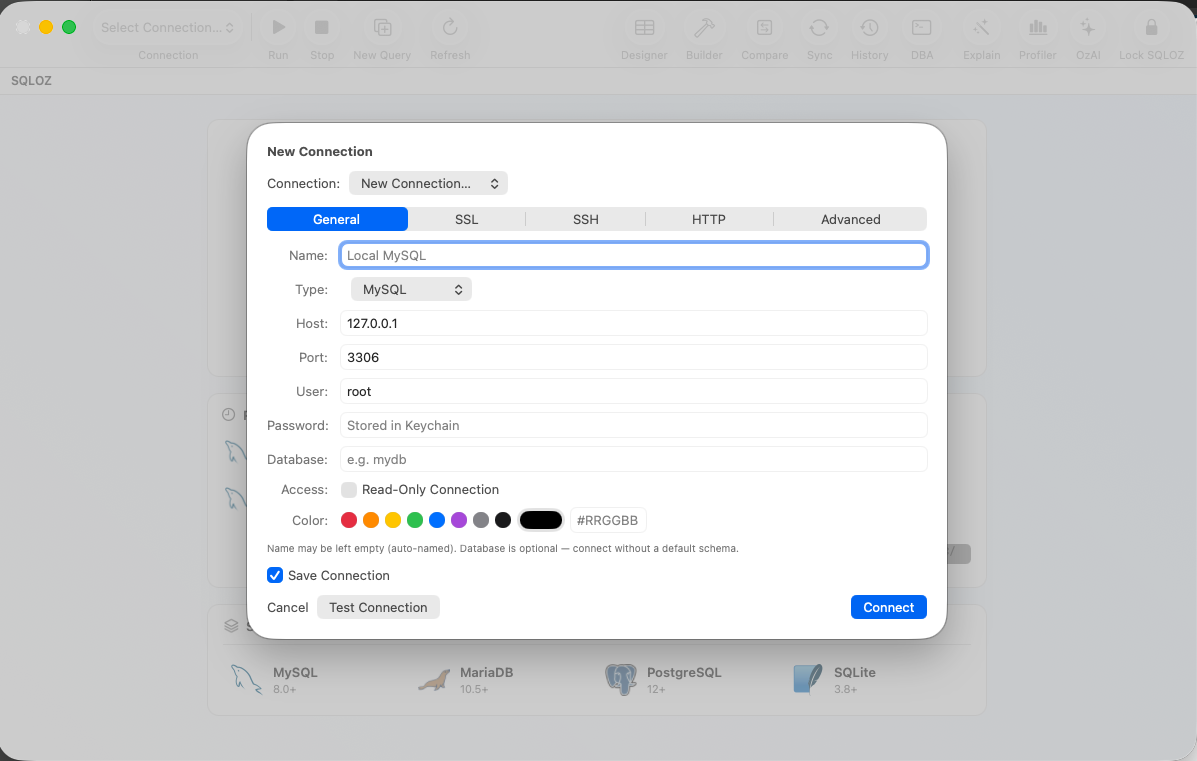
- Open SQLOZ and click New Connection ➔ MySQL.
- Host: Enter
127.0.0.1(to force TCP loopback). - Port:
3306. - User:
root. - Password: Enter your newly set password.
- SQLOZ securely stores this password in the macOS Keychain - meaning you’ll never lose it or leave it in plaintext config files.
Summary
MySQL Error 1045 is frustrating, but resetting your credentials and ensuring proper 'root'@'127.0.0.1' privileges resolves it in under 5 minutes.
Download SQLOZ for macOS and manage your local and remote databases with hardware-encrypted credential protection.