
Supabase has become the backend-of-choice for thousands of full-stack developers, indie hackers, and mobile creators. By combining a managed PostgreSQL database with real-time subscriptions, auth, and automated REST/GraphQL APIs, it supercharges developer velocity.
However, many prototypes start locally with SQLite (in frameworks like Next.js, Remix, or Flutter). When it’s time to take your application live, you need to migrate your local SQLite schema and seed records into your remote Supabase PostgreSQL project.
If you attempt to export SQLite to SQL and run it directly in Supabase’s web SQL Editor, you will almost certainly encounter syntax rejections:
- Missing primary key sequences (
nextval), - Incompatible boolean literals (
0instead of't'), - Missing foreign key constraints or constraint order failures.
In this tutorial, we demonstrate how to seamlessly migrate your local SQLite database directly to Supabase PostgreSQL on macOS using SQLOZ.
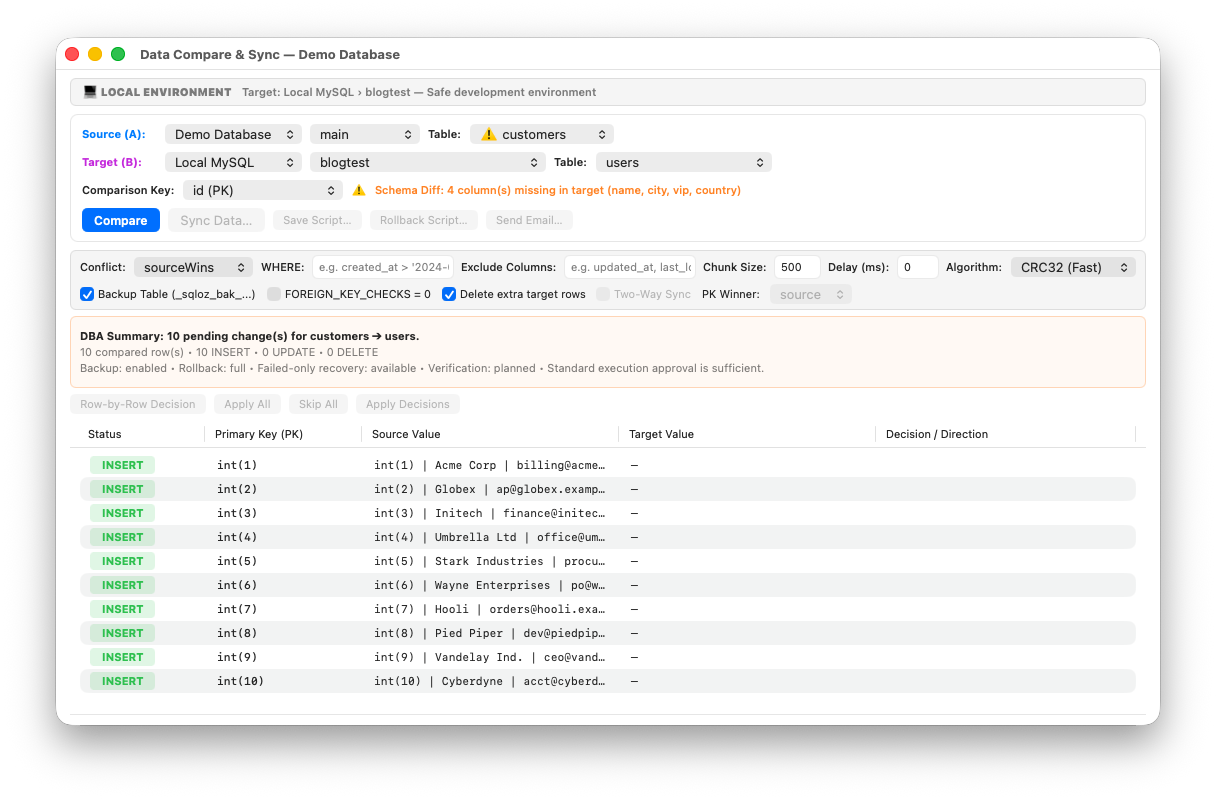
1. Finding Your Supabase Direct Connection String
Before you can connect to Supabase from an external database GUI, you need your database credentials:
- Log into your Supabase Dashboard.
- Navigate to Project Settings ➔ Database.
- Under Connection parameters, locate your Host, Port (5432 or 6543 for pooling), Database Name (postgres), and User (postgres).
- If your project enforces IPv6-only connections, consider using the Supabase Connection Pooling (Session Mode) host or an SSH Bastion / Tunnel.
2. The Migration Obstacles: SQLite to Supabase
A. Automatic Identity and Sequence Reset
In Supabase, new rows inserted through the web dashboard or REST API rely on auto-incrementing identity columns (GENERATED BY DEFAULT AS IDENTITY). When you import records from SQLite with pre-existing primary keys (1, 2, 3... 500), PostgreSQL does not advance the sequence counter automatically.
If you do not run a sequence reset, your next API call will crash with:
ERROR: duplicate key value violates unique constraint "users_pkey"B. Boolean Normalization
Supabase’s automated REST API expects real boolean values (true/false). SQLite’s integer representation (1/0) must be properly mapped during ingestion to prevent schema generation anomalies in PostgREST.
3. The One-Click Migration Process in SQLOZ
SQLOZ is a native macOS database client written in Swift and Metal that features an integrated, cross-dialect migration engine. It connects directly to Supabase over secure TLS and handles schema translation and data streaming in real time.
Step 1: Open Your SQLite File in SQLOZ
Open SQLOZ and add your local .sqlite or .db file in the left Object Browser.
Step 2: Add Your Supabase Connection
Click New Connection, select PostgreSQL, and paste your Supabase host, port, user, and password. Enable SSL / TLS (Require) and test the connection.
Step 3: Run the Migration Wizard
- Right-click your SQLite database in the sidebar and select Migrate to PostgreSQL (Supabase)…
- Choose your target Supabase schema (typically
public).
Step 4: Automatic Type and Sequence Mapping
SQLOZ automatically handles the heavy lifting:
- Converts SQLite
INTEGER PRIMARY KEY AUTOINCREMENTinto standard PostgreSQLIDENTITYcolumns. - Maps booleans from integers to native PostgreSQL
BOOLEAN. - Normalizes ISO-8601 text dates to
TIMESTAMPTZ. - Executes
setval()post-import to align all primary key sequences to the current maximum ID.
Step 5: Live Stream Ingestion
Click Migrate. SQLOZ pipes rows from SQLite into Supabase via high-speed binary COPY ... FROM STDIN. Within seconds, your entire database is fully populated in Supabase.
4. Verification in the Supabase Dashboard
After migration completes, open your Supabase Table Editor:
- Check that all tables, columns, and data types appear correctly in the Supabase UI.
- Insert a test record in the Supabase web console to confirm that the identity sequence generates the next sequential ID without conflict.
- Test your frontend application using the Supabase JavaScript or Flutter client.
Summary
Migrating from a local SQLite prototype to a live Supabase PostgreSQL backend shouldn’t require custom Python scripts or manual DDL editing.
With SQLOZ, Mac developers can connect local files to cloud databases and perform one-click migrations with complete peace of mind.
Download SQLOZ for macOS and launch your Supabase project in minutes.