
For Mac developers looking for a fast, native database client, the debate often comes down to two prominent names: Sequel Ace and TablePlus.
- Sequel Ace: The open-source, community-driven successor to the legendary Sequel Pro.
- TablePlus: The polished commercial native tool loved for its modern spreadsheet-like inline editing.
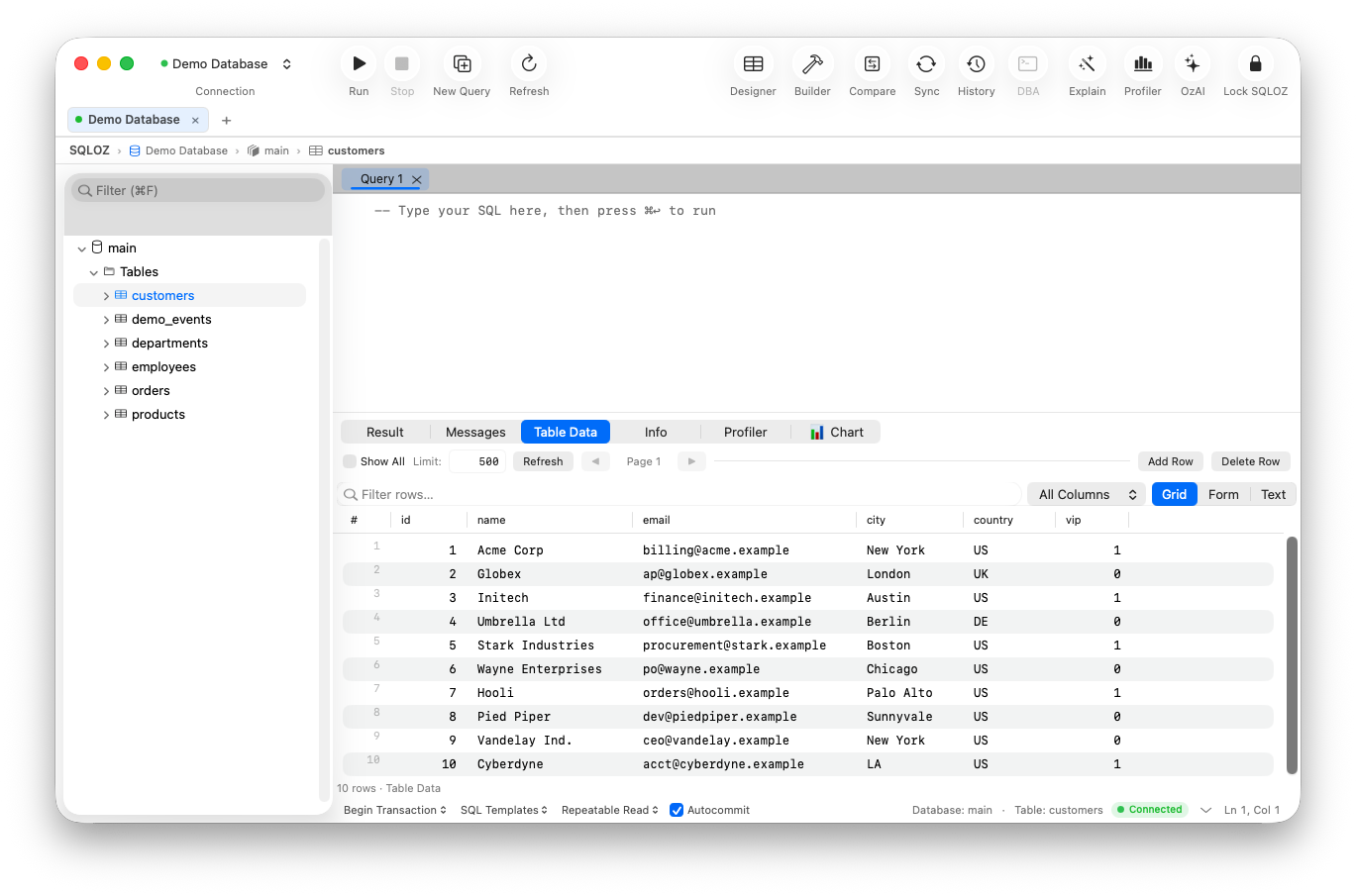
While both tools run natively on macOS, their design philosophies, database engine support, and pricing models differ dramatically. And for developers who need advanced visual query building, deep DBA diagnostics, or cross-dialect migrations, SQLOZ emerges as a compelling alternative that combines the best of both worlds.
In this deep-dive comparison, we evaluate Sequel Ace vs. TablePlus across performance, feature depth, and daily developer productivity.
1. Engine Support: The Crucial Divide
The biggest deciding factor between Sequel Ace and TablePlus is the database engines you manage:
- Sequel Ace: Strictly limited to MySQL and MariaDB. If your stack introduces PostgreSQL, or SQLite, Sequel Ace cannot connect. You are forced to download a second database client.
- TablePlus: Multi-engine support covering MySQL, PostgreSQL, SQLite, Redis, and Microsoft SQL Server.
- SQLOZ: Unified multi-engine architecture supporting MySQL, PostgreSQL, SQLite, and MariaDB with cross-engine migration tools built directly into the UI.
2. Performance and Resource Footprint
Both clients avoid Electron, giving them a significant advantage over web-wrapped database managers:
- Sequel Ace: Written in Objective-C and Swift. Launches quickly (~200ms) and consumes roughly 90MB–130MB RAM. However, users frequently report instability and memory leaks when viewing tables with hundreds of columns or running heavy background queries.
- TablePlus: Written in native Swift and Objective-C. Highly responsive with a cold boot time of ~150ms and idle memory hovering between 80MB–110MB.
- SQLOZ: Engineered specifically for Apple Silicon (M1/M2/M3/M4) in pure Swift, AppKit, and Metal. Cold start time is under 100 milliseconds with an idle footprint of 45MB–75MB RAM.
3. Pricing and Limitations
Sequel Ace: 100% Free and Open Source
Sequel Ace is licensed under GPLv3. There are zero feature paywalls, zero tab limits, and zero license keys required.
TablePlus: Restrictive Free Tier
TablePlus offers a free evaluation mode, but imposes strict workflow throttles:
- Maximum 2 open workspace tabs at a time.
- Maximum 2 active filters per grid view.
- Custom inline theme customization locked behind a paid tier.
- Commercial licenses cost upwards of $89 per seat (with 1 year of updates).
4. Visual Tooling & Advanced DBA Features
| Feature | Sequel Ace | TablePlus | SQLOZ (Native Mac) |
|---|---|---|---|
| Visual Query Builder | ❌ None | ❌ None | ✅ 120 FPS Infinite Canvas |
| Cross-Dialect Migration | ❌ None | ❌ None | ✅ One-Click Binary Stream |
| Schema & Data Sync | ❌ None | ❌ None | ✅ Attended Row-Level Diff |
| Lock Tree & Root Blocker | ❌ Basic Processlist | ❌ None | ✅ Visual Lock Hierarchy |
| AI SQL Assistant | ❌ None | ❌ None | ✅ Built-in Autonomous AI |
| Safety Gate / Execution Guards | ❌ Basic Confirmations | ❌ Basic Safe Mode | ✅ WHERE Static Analyzer |
Neither Sequel Ace nor TablePlus provides an interactive Visual Query Builder (read our guide on visual joins). In both tools, writing multi-table joins requires manual typing. SQLOZ, by contrast, lets you visually drag and connect table foreign keys on an infinite canvas.
The Verdict: Which Tool Wins in 2026?
- Pick Sequel Ace if: You only manage MySQL/MariaDB databases, prefer open-source software, and refuse to pay for commercial licenses.
- Pick TablePlus if: You need a clean, minimalist tabbed viewer for everyday web development and don’t mind the $89 licensing fee.
- Pick SQLOZ if: You want the ultimate native macOS database suite: multi-engine support (MySQL + Postgres + SQLite), visual drag-and-drop query building, zero tab restrictions, and deep DBA diagnostics on Apple Silicon.
Download SQLOZ for macOS and experience the next generation of native Mac database tools today.