
Connecting to a cloud-managed PostgreSQL instance (on Supabase, AWS RDS, Neon, or Railway) from your Mac occasionally fails with an abrupt low-level socket error:
SSL SYSCALL error: Connection reset by peer
-- or:
could not connect to server: Connection reset by peer (0x00000036/54)
-- or:
SSL error: decryption failed or bad record mac
This error code (54 or 104) indicates that the remote PostgreSQL server or an intermediate cloud proxy abruptly severed the TCP connection during or immediately following the TLS cryptographic handshake.
In this guide, we break down the top 3 causes of SSL connection reset errors on macOS and how to configure your database client for rock-solid TLS stability.
1. Top 3 Causes of PostgreSQL SSL Connection Resets
Cause 1: TLS Version and Cipher Suite Mismatches
Modern cloud providers (like Supabase and Neon) enforce TLS 1.3 and reject older TLS 1.0/1.1 handshakes. If you are using an older database client compiled against legacy OpenSSL binaries, the server will terminate the connection during cipher negotiation.
Cause 2: IPv6 Routing and MTU Packet Fragmentation
Many modern macOS setups have IPv6 enabled, but home or coffee shop Wi-Fi routers have broken IPv6 Path MTU Discovery (PMTUD). During the TLS key exchange, large certificate payload packets exceed the maximum packet size and get dropped silently, causing the server to time out and reset the connection.
Cause 3: Cloud Connection Pooler Timeouts
When connecting through a PgBouncer or Supabase connection pooler in transaction mode, the pooler abruptly resets client sockets if they exceed maximum idle client limits.
2. Proven Steps to Fix the Error on macOS
Step 1: Force IPv4 Resolution
If your network has broken IPv6 routing:
- In your connection string or client configuration, connect to the IPv4 address or pooler endpoint rather than direct IPv6 hostnames.
- Or temporarily disable IPv6 in macOS Terminal to test:
networksetup -setv6off "Wi-Fi"Step 2: Use Native TLS 1.3 in SQLOZ
Rather than relying on outdated OpenSSL wrappers, SQLOZ uses Apple’s native Network.framework and Security.framework, providing hardware-accelerated, modern TLS 1.3 negotiation.
In SQLOZ:
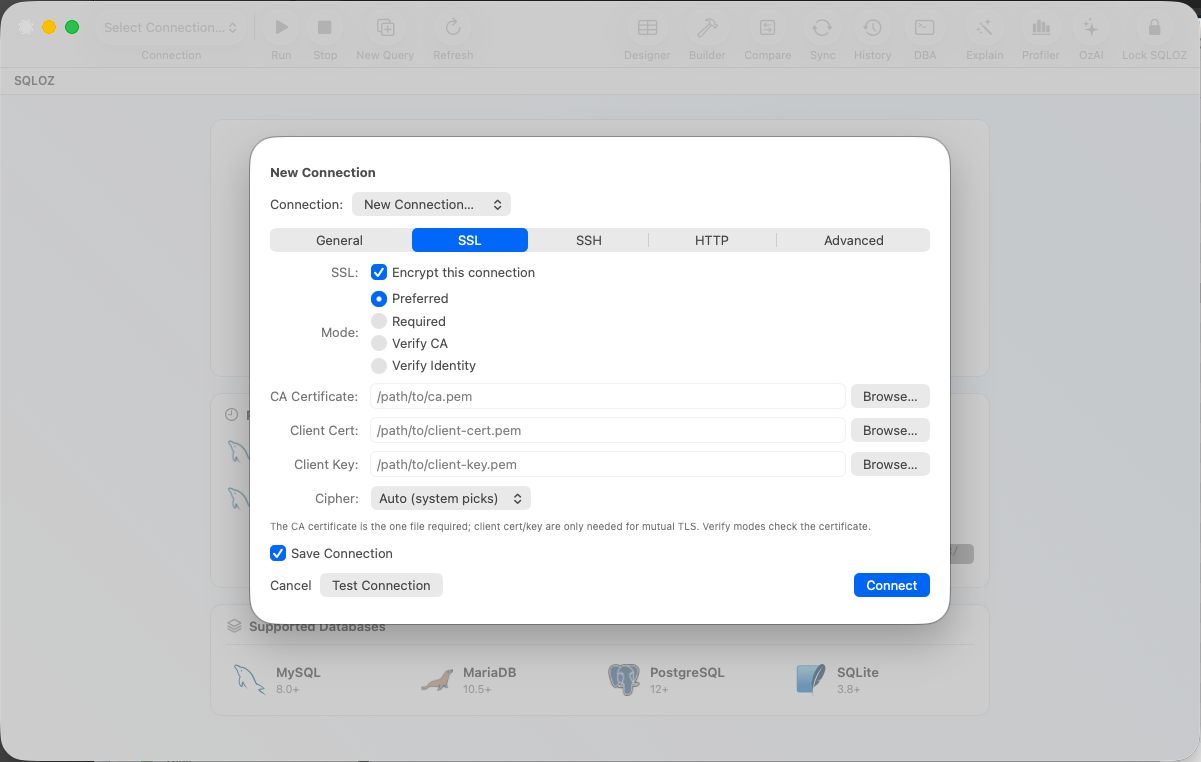
- Open your PostgreSQL connection settings.
- Under the SSL tab, set SSL Mode to Require or Verify Full.
- Toggle Use Hardware TLS Acceleration ON.
- If connecting to AWS RDS or DigitalOcean, provide the cluster CA certificate file.
Step 3: Enable TCP Keep-Alives
In SQLOZ’s Advanced Settings, ensure TCP Keep-Alive is set to 30 seconds. This sends periodic heartbeats through the TLS tunnel, preventing cloud poolers from resetting idle sockets.
Summary
SSL connection resets in PostgreSQL on macOS are almost always caused by broken IPv6 packet fragmentation or outdated TLS cipher suites.
With SQLOZ, Mac developers get modern Apple Silicon TLS 1.3 encryption and automatic socket resilience that keeps your cloud database connections alive.
Download SQLOZ for macOS and eliminate SSL connection errors today.